Connect your AI tool
Before you start: How the Skills and the MCP server work
You do this once per computer. It takes a few minutes, most of them spent finding the terminal.
1. Switch on the server
- In NovelOS, open Settings › MCP.
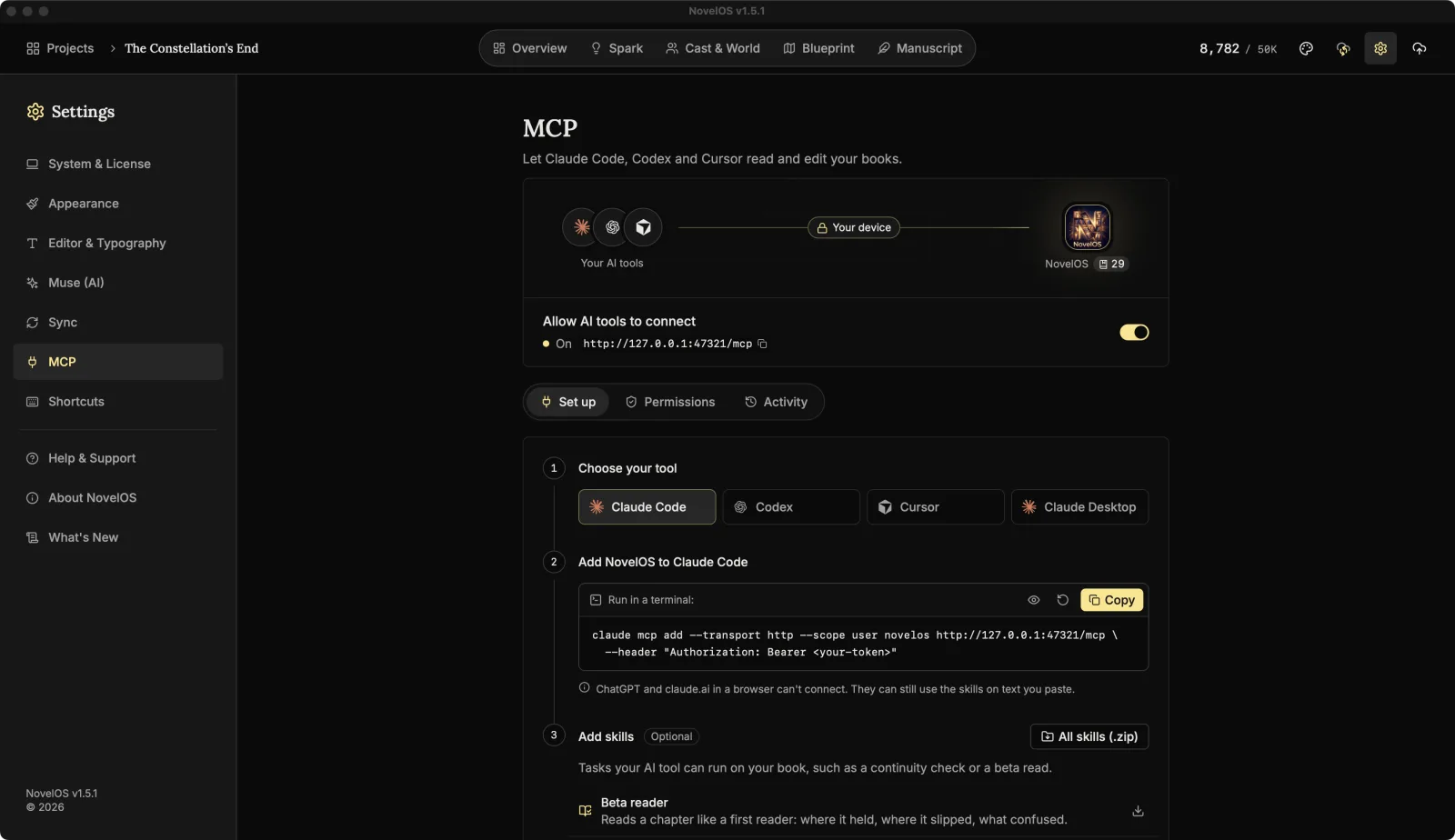
- Switch on Allow AI tools to connect. The line under it reads Starting…, then On with the server address.
- The first time, NovelOS explains what protects you (Connected tools can change your writing). Click I understand.
2. Copy the setup for your tool
On the Set up tab, under Choose your tool, pick Claude Code, Codex, Cursor or Claude Desktop. NovelOS shows the exact setup with your server address and access token already filled in. Click Copy.
Don't retype it. The token is long and the setup has to match it exactly.
3. Paste it where it goes
Claude Code wants it run in a terminal. On a Mac, open Terminal (it's in Applications › Utilities, or press ⌘ Space and type "Terminal"). Paste the setup and press Enter. It looks like this, with your own token:
claude mcp add --transport http --scope user novelos http://127.0.0.1:47321/mcp \
  --header "Authorization: Bearer <your-token>"
On Windows, the backslash at the end of the first line means "carry on" only to Mac and Linux terminals. In PowerShell, paste it into a text editor first, delete the backslash and the line break so it's one line, then run that.
--scope user means every Claude Code session on this computer can reach NovelOS, whichever folder you start it in.
Codex, Cursor and Claude Desktop want it pasted into a settings file. The box tells you which one; the connect guide has the details for each. Claude Desktop also needs Node.js installed.
4. Restart the tool and check
Close the tool and open it again so it picks up NovelOS. Then check:
- Claude Code: start it by typing
claudein the terminal, then type/mcp.novelosshould be in the list. - Codex: run
codex mcp listin the terminal.novelosshould be there.
Then ask a plain question:
Which of my NovelOS books can you see?
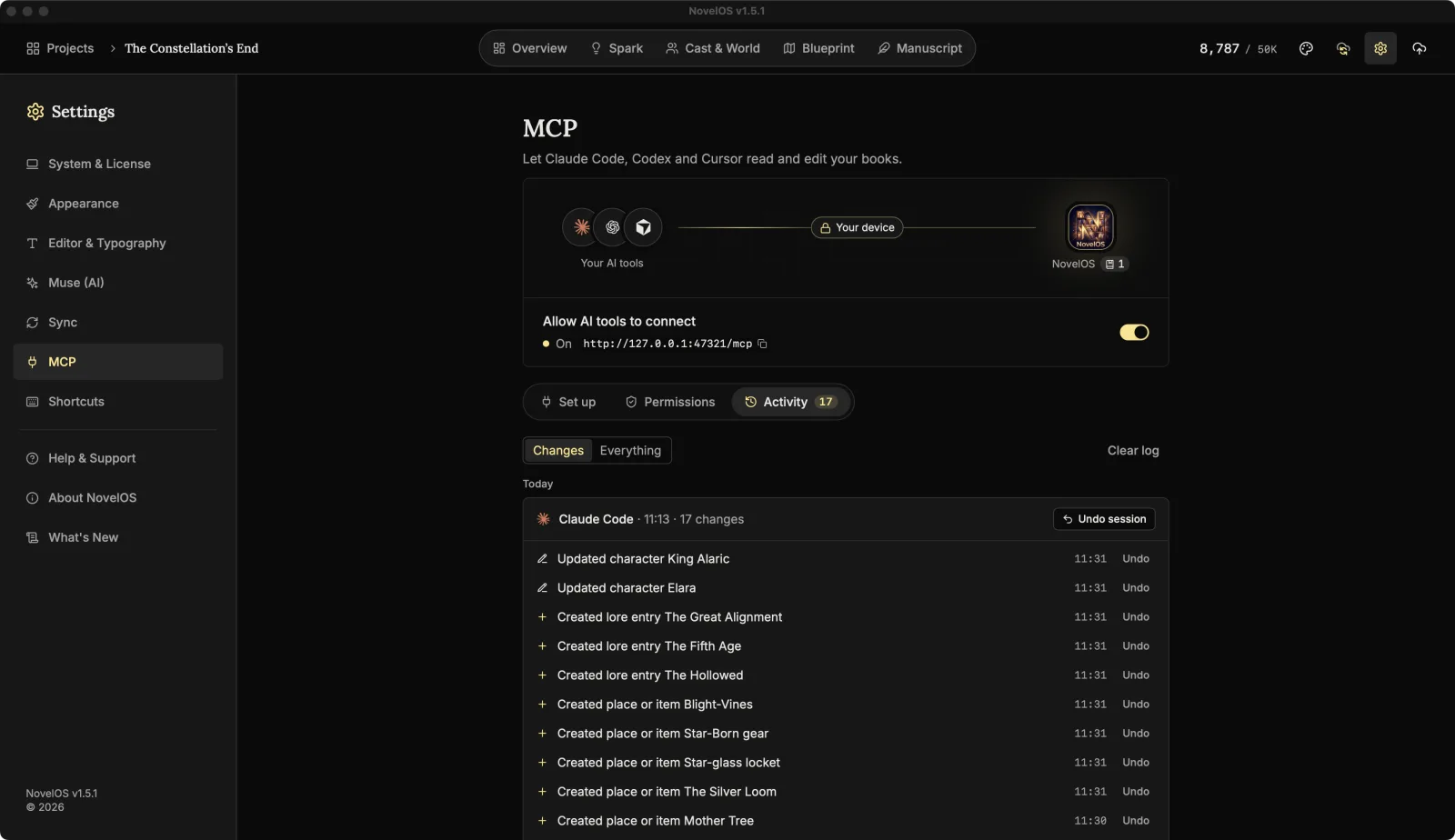
The tool should call the book list and name your books. Back in NovelOS, the Activity tab now shows the tool's first session, with a "List books" line in it under Everything.
If it doesn't connect
- Is NovelOS open, and does the switch say On? The server only runs while the app does.
- Did you change the port, or press Regenerate token? Then copy the setup again and replace the old one in your tool.
- Does the tool see no books, or fewer than you expected? Check Books AI tools can see under Permissions.
More in Connect Claude Code, Codex, Cursor or Claude Desktop.
Next: Install the NovelOS Studio Skills
Checked against NovelOS Studio 1.5.1 · Updated · View as Markdown