Story Blueprint & Plotting
Lesson 8: The Architecture (Blueprint)
There are two types of writers:
- Pantsers: Those who fly by the seat of their pants.
- Plotters: Those who plan everything.
NovelOS supports both, but the Blueprint module is for the Plotters (and the Pantsers who got stuck).
This is where you switch from “Creative Mode” to “Analytical Mode.”
Step 1: The Bird’s Eye View (Plots Tab)
Your story has a shape. It might be a hero’s journey, a tragedy, or a mystery. The Plots Canvas lets you see that shape.
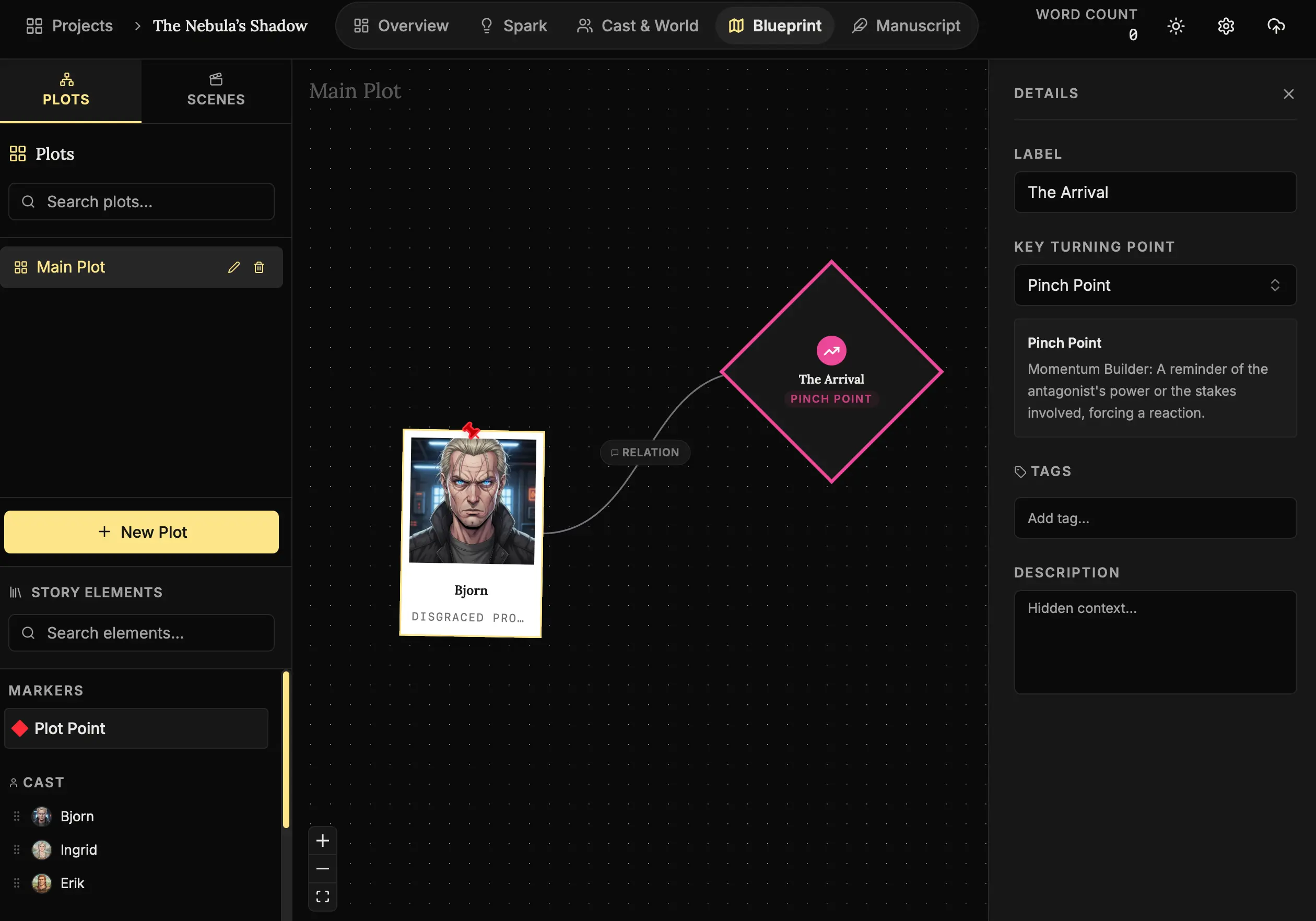
How to map the arc:
- Open Blueprint:
Click Blueprint in the navigation bar. - Plots Tab:
Stay on the “Plots” sidebar tab. - Add Nodes:
Drag a Plot Point (diamond shape) from the sidebar onto the canvas. - Connect:
Hover over the edge of a node until a dot appears, then drag a line to another node. This represents cause-and-effect.
How to use this:
Don’t worry about details here. Drag a Plot Point and just write “The Inciting Incident.” Then drag another and write “The Climax.”
Now, fill in the middle.
Seeing your story as a visual web helps you spot structural weaknesses. “Wait, I have no rising action between these two points.”
Step 2: The Building Blocks (Scenes)
If the plot is the skeleton, Scenes are the bricks.
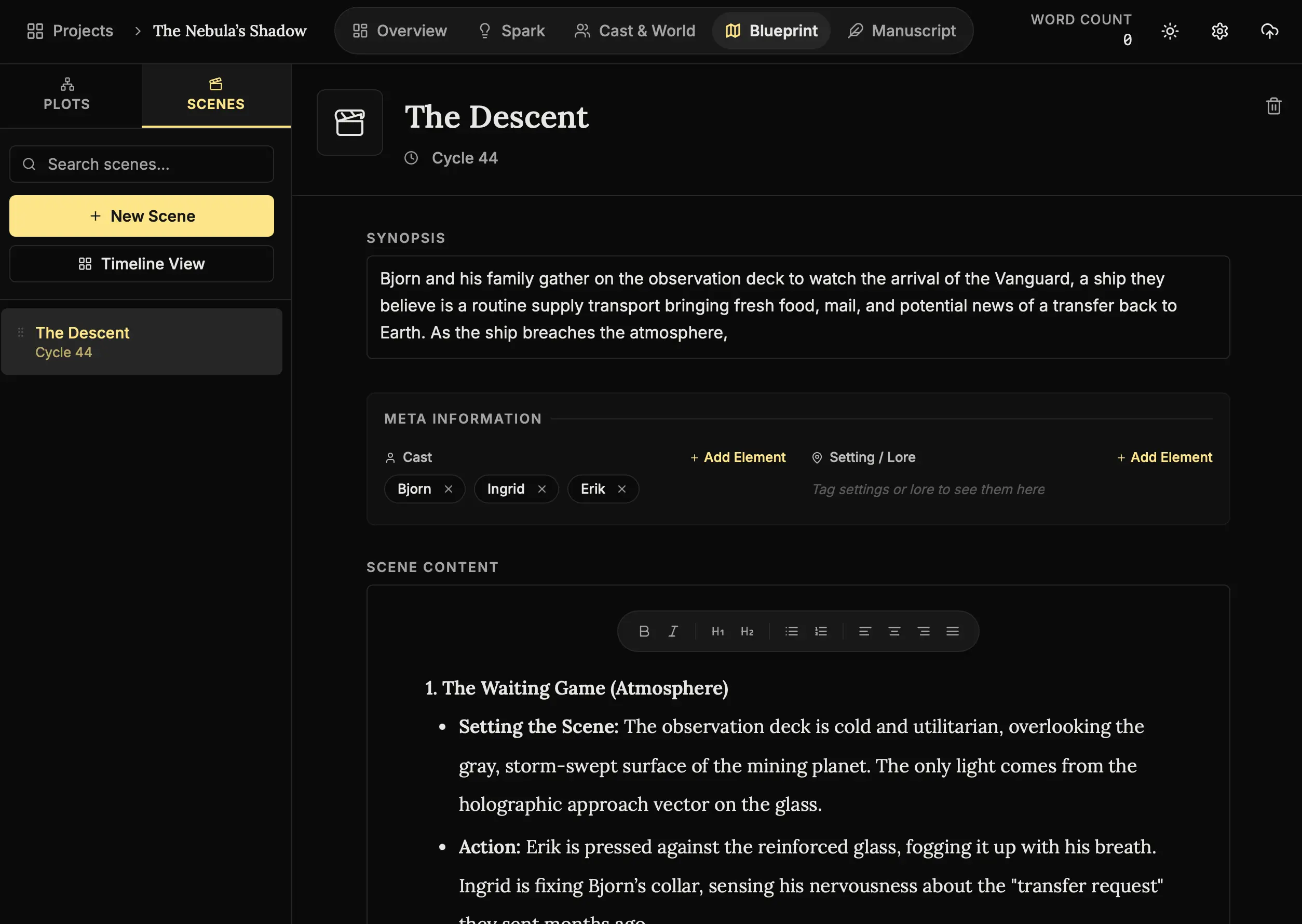
How to list your scenes:
- Switch to Scenes:
Click the “Scenes” tab in the sidebar. - Create a Scene:
Click the New Scene (+) button. - Synopsis:
Write one sentence about what happens. “Bjorn steals the key.” - Do this 50 times:
Before you write a word of dialogue, try to list every scene in the book.
Why?
It is much easier to delete a bad scene description than it is to delete 2,000 words of bad prose you spent three days writing. Plan cheap, write expensive.
Step 3: Pacing Check (Timeline View)
Toggle the Timeline View.
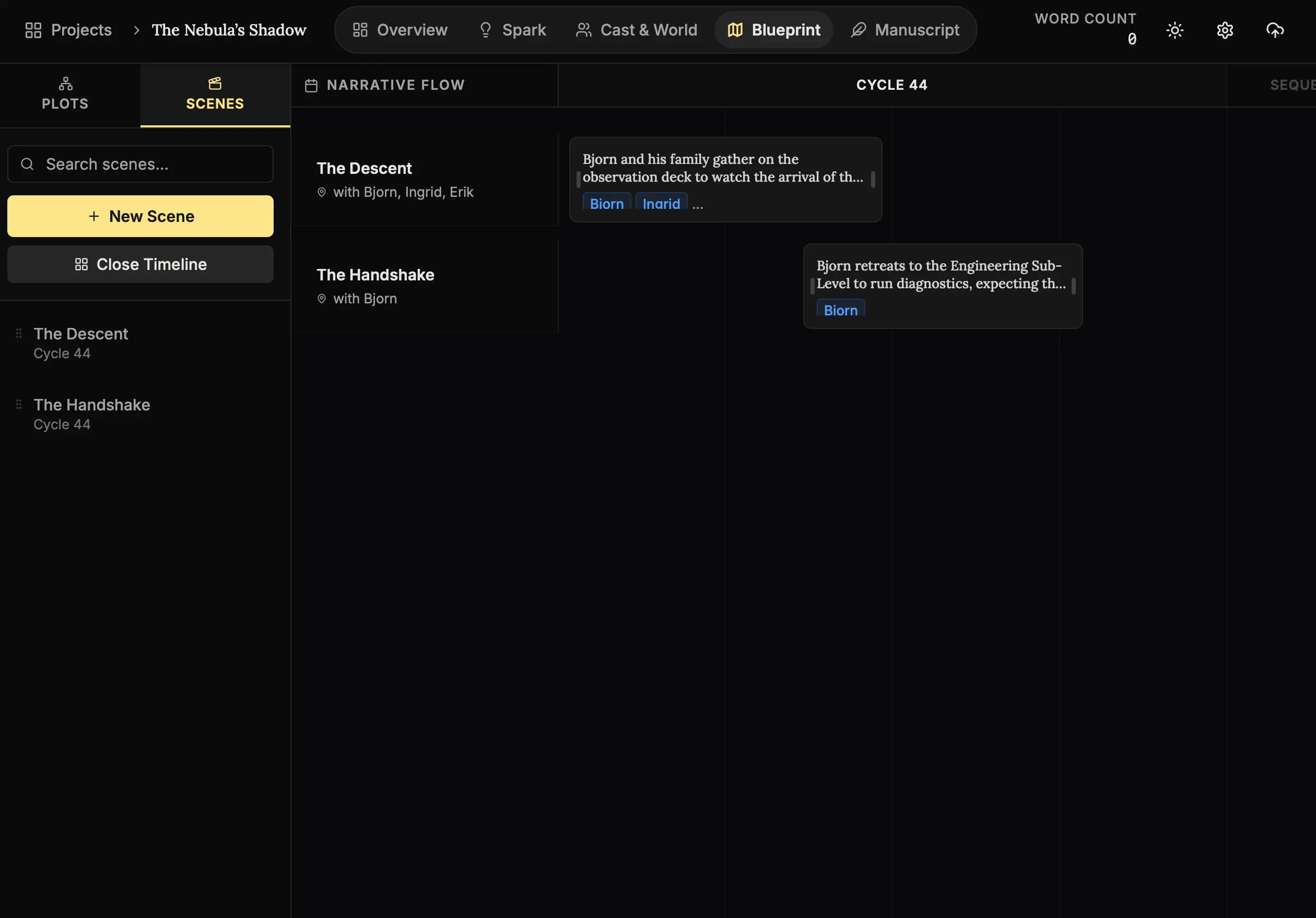
How to read the rhythm:
- Toggle View:
Click the Timeline Icon (top right of the scene list). - Multiverse Logic:
The horizontal axis represents Time. Vertical stacking represents Different Locations. - Adjust:
Resize a bar to make an event last longer in the timeline. Drag it up or down to place it in parallel with another scene.
The Rhythm of a Novel:
This view allows you to see what happens at the same time.
If Chapter 1 is “The Hero enters the cave,” you can drag “The Villain bombs the city” to occur directly underneath it on the timeline. This helps you track simultaneous plot lines across different locations.
Next Steps
The architecture is sound. The blueprint is approved. Now… we must build the house.
- Lesson 9: The Sacred Act (Manuscript) - It’s time to write.
The thinking is done. The feeling begins. 🖋️🏗️