Environment & Editor Settings
Lesson 10: Your Workshop (Settings)
Every artisan has a set of tools that fit their hand perfectly. A carpenter creates a custom handle for their hammer. A painter mixes their own pigments.
As a writer, your tool is the Environment.
If the font is too small, your eyes get tired. If the contrast is wrong, you get a headache.
Let’s fix that.
Step 1: Visual Comfort (Editor & Typography)
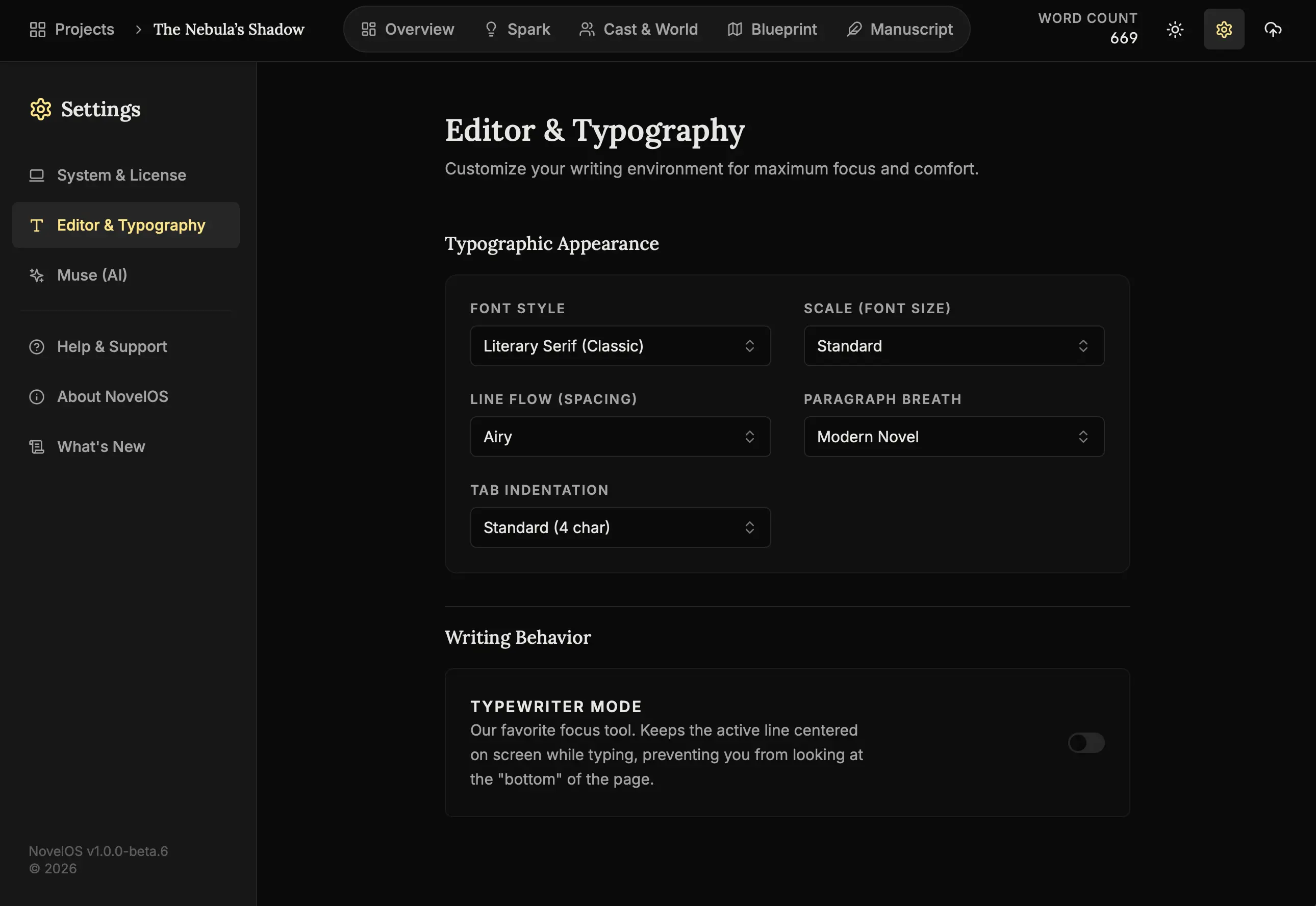
How to tune your display:
- Open Settings:
Click the Gear Icon (⚙️). - Editor Tab:
Select “Editor”. - Font Family:
Choose a font that matches your genre.- Serif: Traditional, trustworthy.
- Sans: Modern, clean.
- Mono: Technical, distraction-free.
- Line Height:
Increase this to 1.6 or 1.8 to give your words room to breathe.
Step 2: The Engine Room (AI Settings)
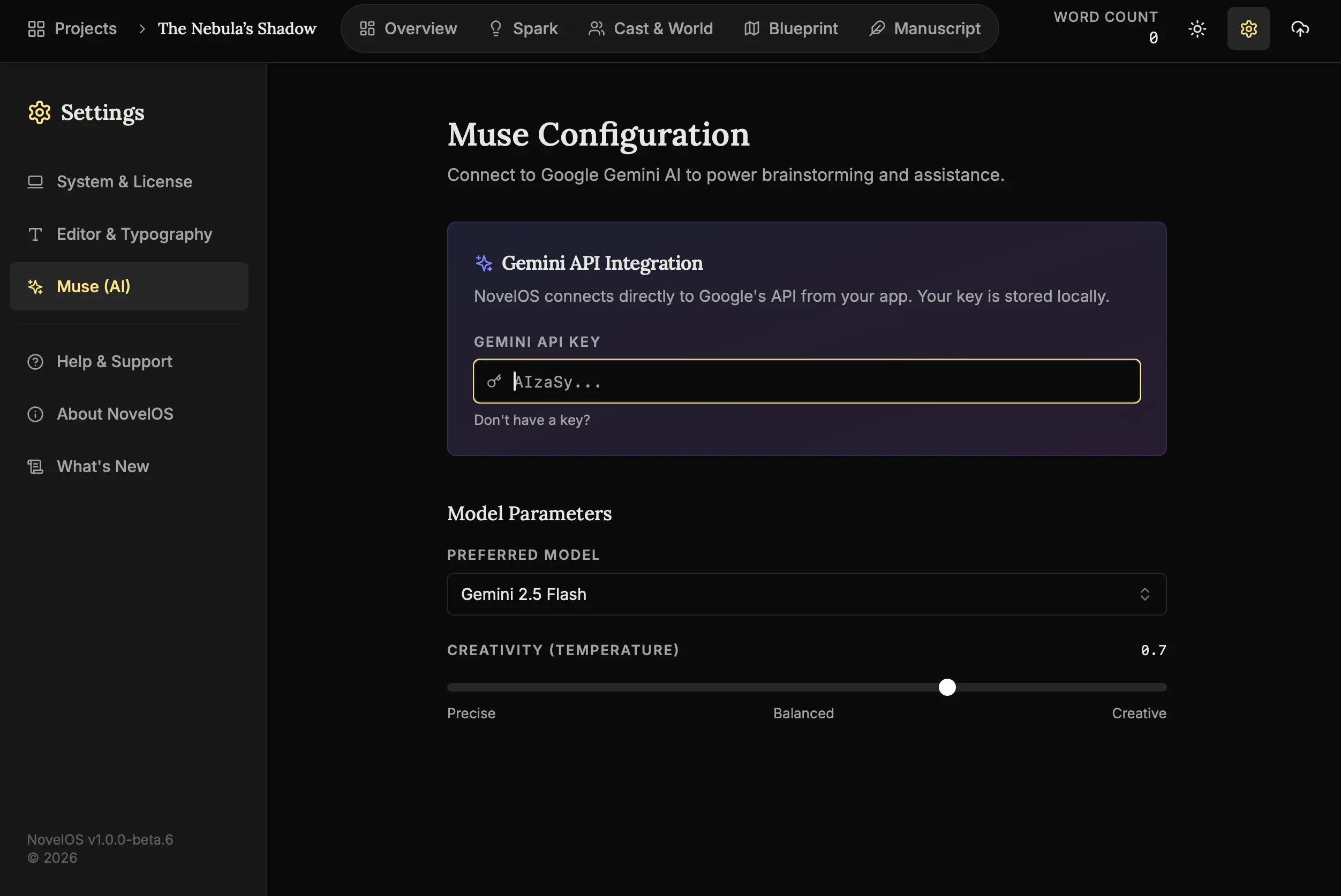
How to upgrade your Muse:
- AI Tab:
Select “Muse (AI)”. - Model Selection:
Choose your brain.- Flash Models: Fast, cheap, good for quick ideas.
- Pro Models: Slower, smarter, good for complex plot untangling.
- API Key:
Paste your key here to activate the magic wands.
Step 3: Maintenance
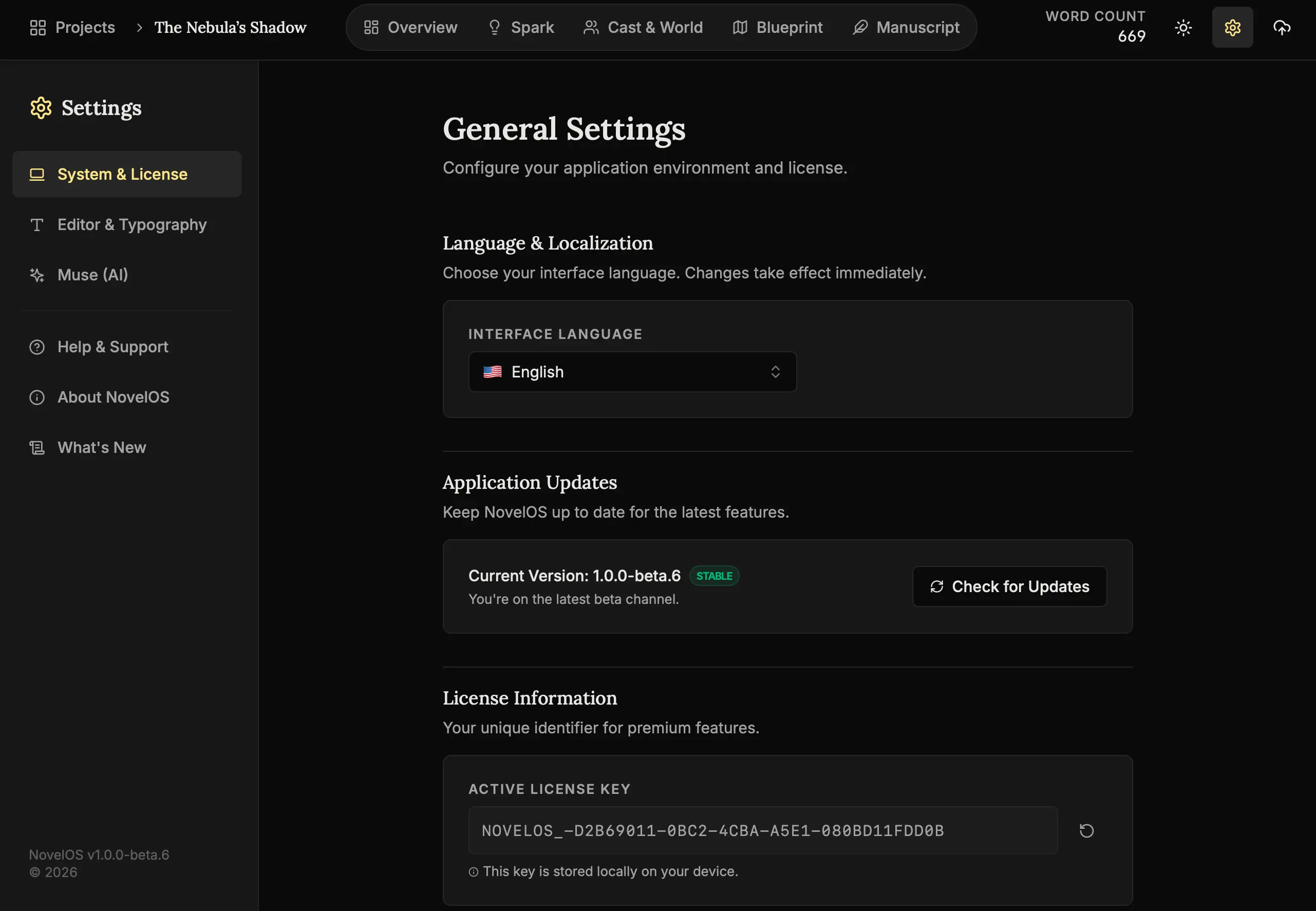
Routine Checks:
- General Tab:
Select “General”. - Language:
Ensure this is set to your native tongue for the best experience. - Updates:
Check the version number here to ensure you have the latest toys.
Next Steps
Your studio is tuned. Your story is written. There is only one thing left to do.
- Lesson 11: The Finish Line (Export) - Send your book to the world.
The tools are sharp. The workshop is yours. 🖋️🛠️