Export & Publishing
Lesson 11: The Finish Line (Export)
“There is no greater agony than bearing an untold story inside you.” — Maya Angelou
But you told it. You finished it.
Now, it must leave the nest.
Step 1: Choosing Your Vehicle (Formats)
Agents, publishers, and readers all speak different languages. NovelOS speaks them all.
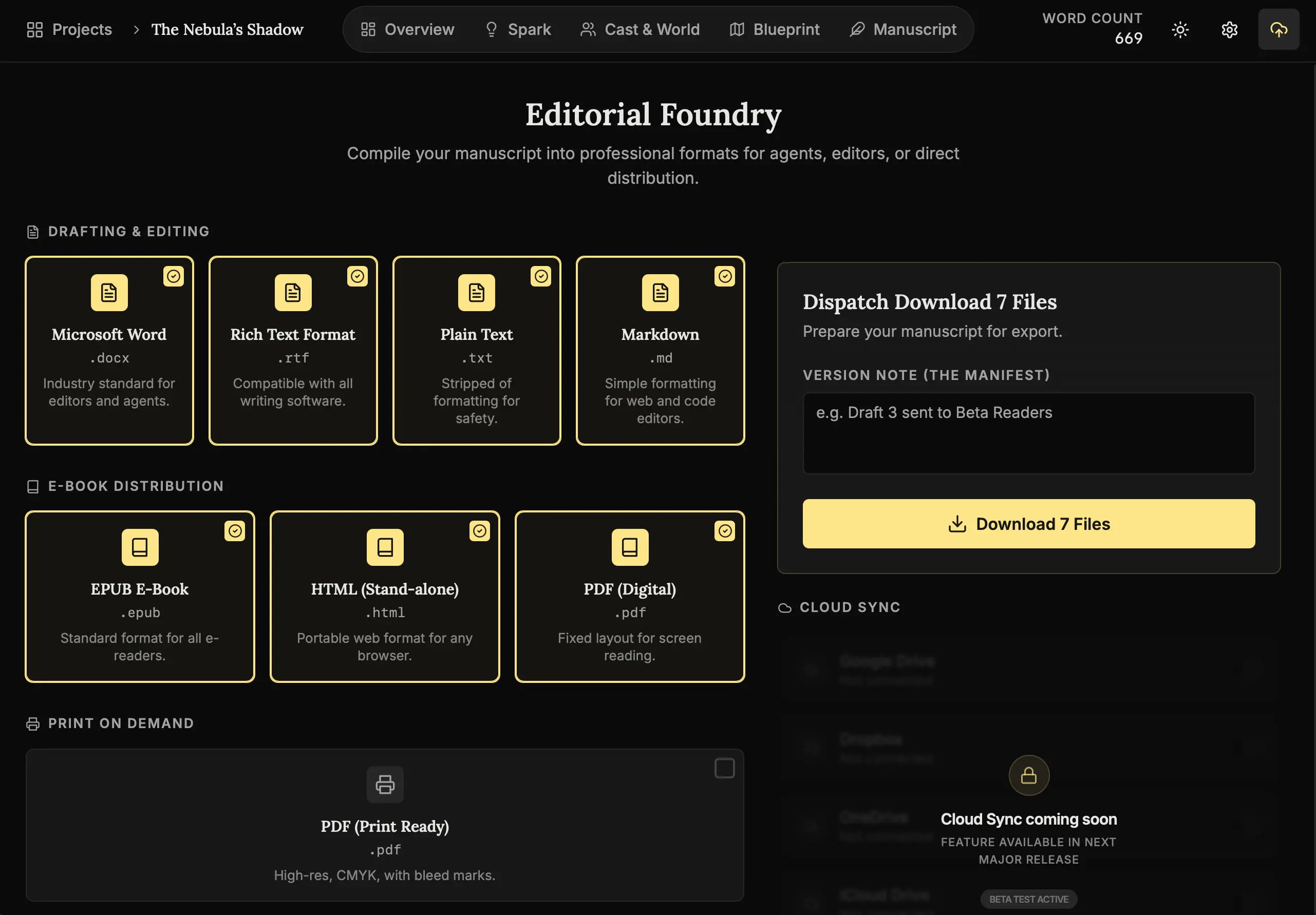
How to publish:
- Open Export:
Click the Upload Icon in the top navigation. - Select Format:
Choose based on your audience:- For Agents (.docx): The industry standard. Word document, standard margins.
- For Beta Readers (.epub): Flows like a real book on iPads/Kindles.
- For Yourself (PDF): Print-ready. There is something magical about holding it.
- Export:
Click the button and watch your manuscript compile.
Step 2: Reviewing the Journey (Manifest)
Scroll down to the Export Manifest.
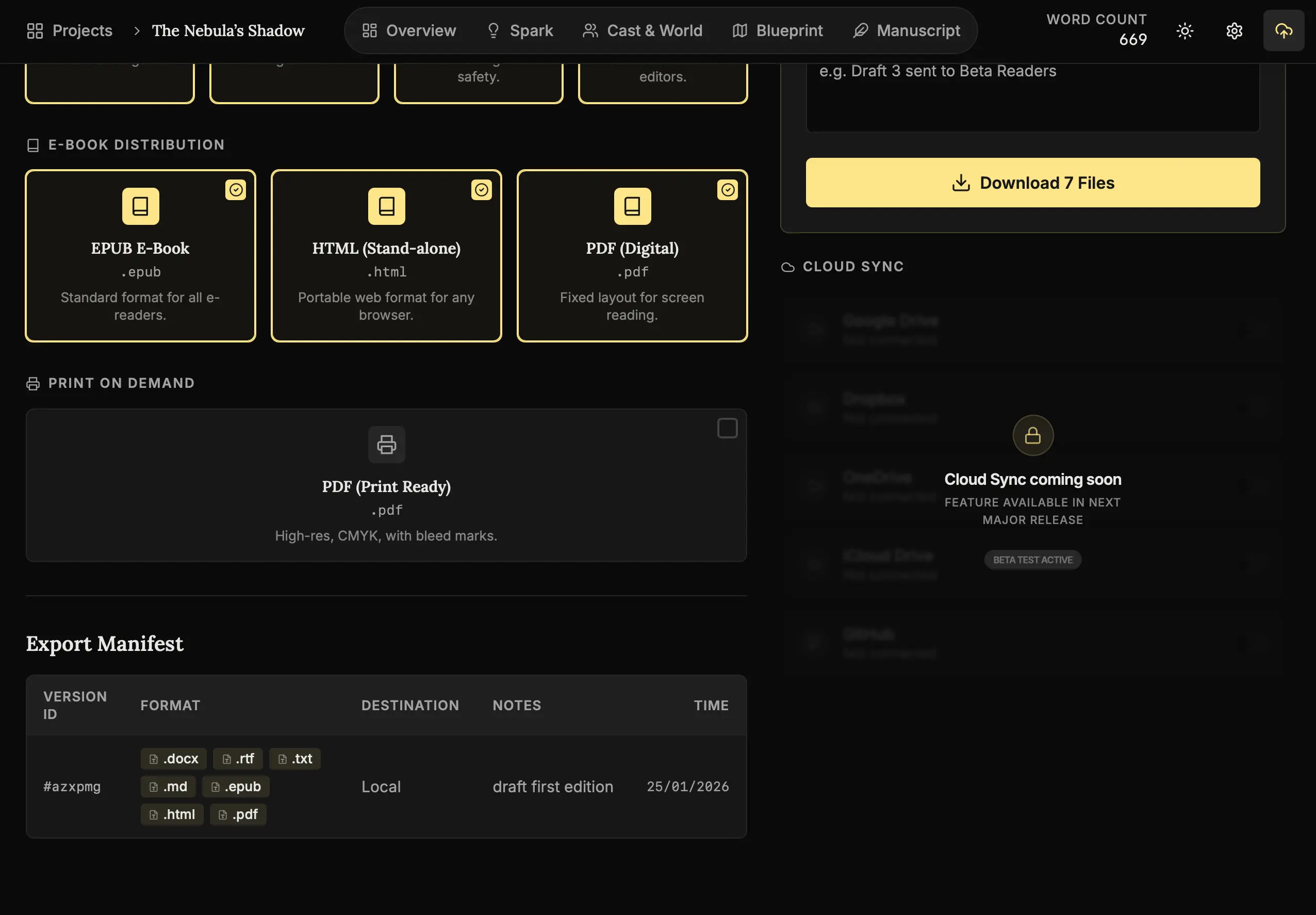
The Logbook:
This shows every time you pressed “Export.”
Look at the dates. Look at the word counts climbing. That is the physical evidence of your discipline. You built this, day by day.
Gallery of Standard Exports
Here is what your verified output looks like:
- Standard Manuscript (.docx) - Industry-standard formatting for agents and publishers.
- Digital Publication (.epub) - Ready for e-readers with reflowable text.
- Typeset Proof (.pdf) - A fixed-layout version perfect for print or digital review.
- Web Archive (.html) - A clean, accessible version for browser viewing.
- Developer Markdown (.md) - For those who want to keep their work in a portable, plain-text format.
- Plain Text (.txt) - A universal format that works on any machine.
- Rich Text Format (.rtf) - A legacy format compatible with older word processors.
Step 3: Securing the Vault (Backups)
For total peace of mind, you can create a complete portable snapshot of your entire workspace.
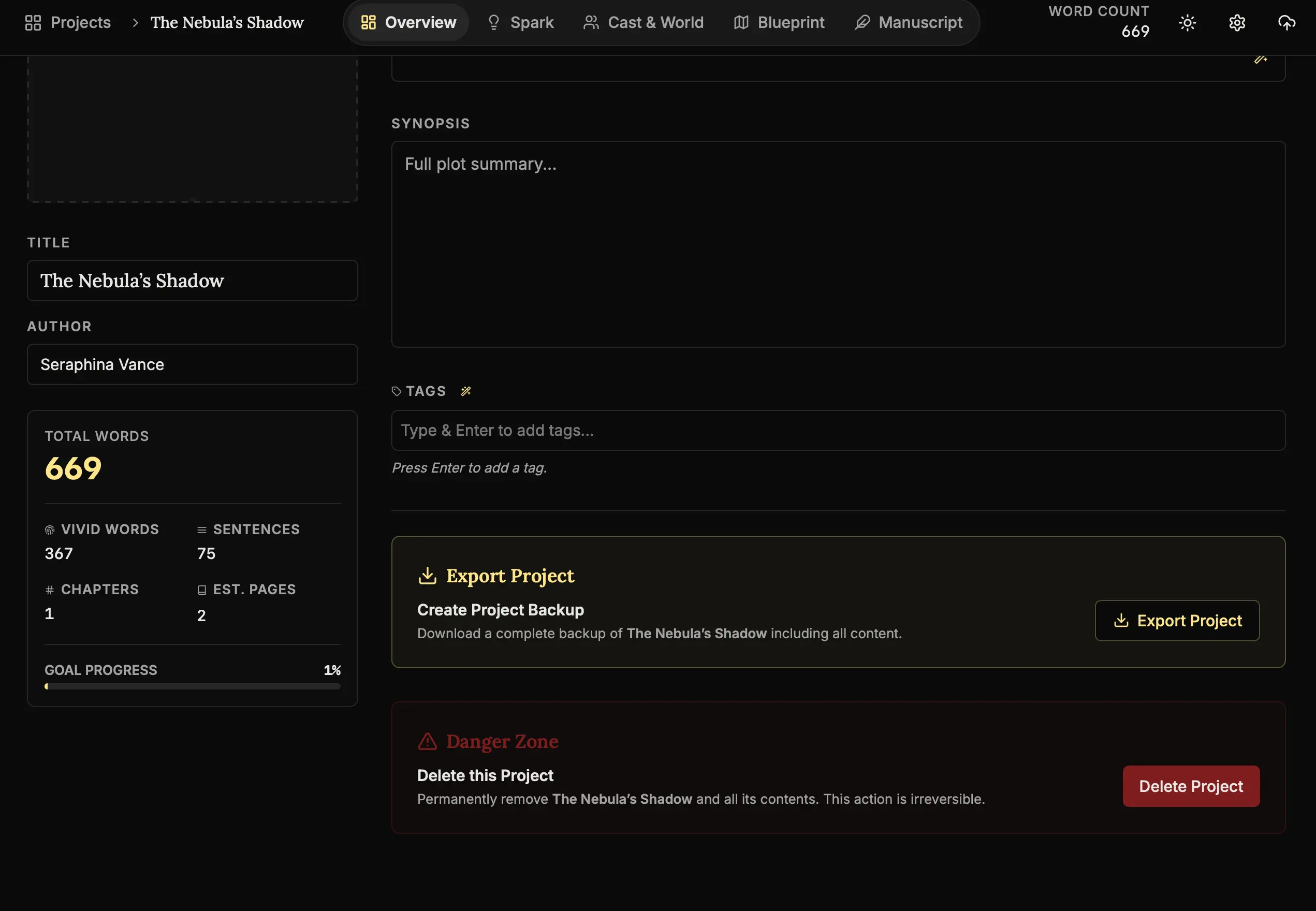
How to backup:
- Open Overview:
Navigate to the Overview tab. - Export Project:
Under the Details section, click “Export Project”. - Result:
This generates a.novelosfile containing every node, lore entry, and scene card in your project.
Why this exists:
Hard drives fail. Laptops get stolen. Cloud services go down.
The .novelos file is your insurance policy. It allows you to restore your entire world on any computer running NovelOS, ensuring that your life’s work is never tied to a single machine.
Conclusion: The End of the Beginning
You have completed the NovelOS Studio Course.
You have:
- Built a workspace.
- Forged a world.
- Created a cast.
- Drafted a novel.
- Exported a legacy.
This software is just a tool. The magic was you.
- Back to the Library (Home) - Start your next project.
The end. And the beginning. 🖋️🚀