Cast & World Building
Lesson 5: The Cast & The Stage
A story is only as strong as the people in it. You can have the best plot in the world, but if your characters feel like cardboard cutouts, no one will care.
NovelOS approaches character creation differently. we don’t just ask what they look like; we ask what haunts them.
Step 1: The Dossier (Identity)
Open the Cast & World tab and create a New Character.
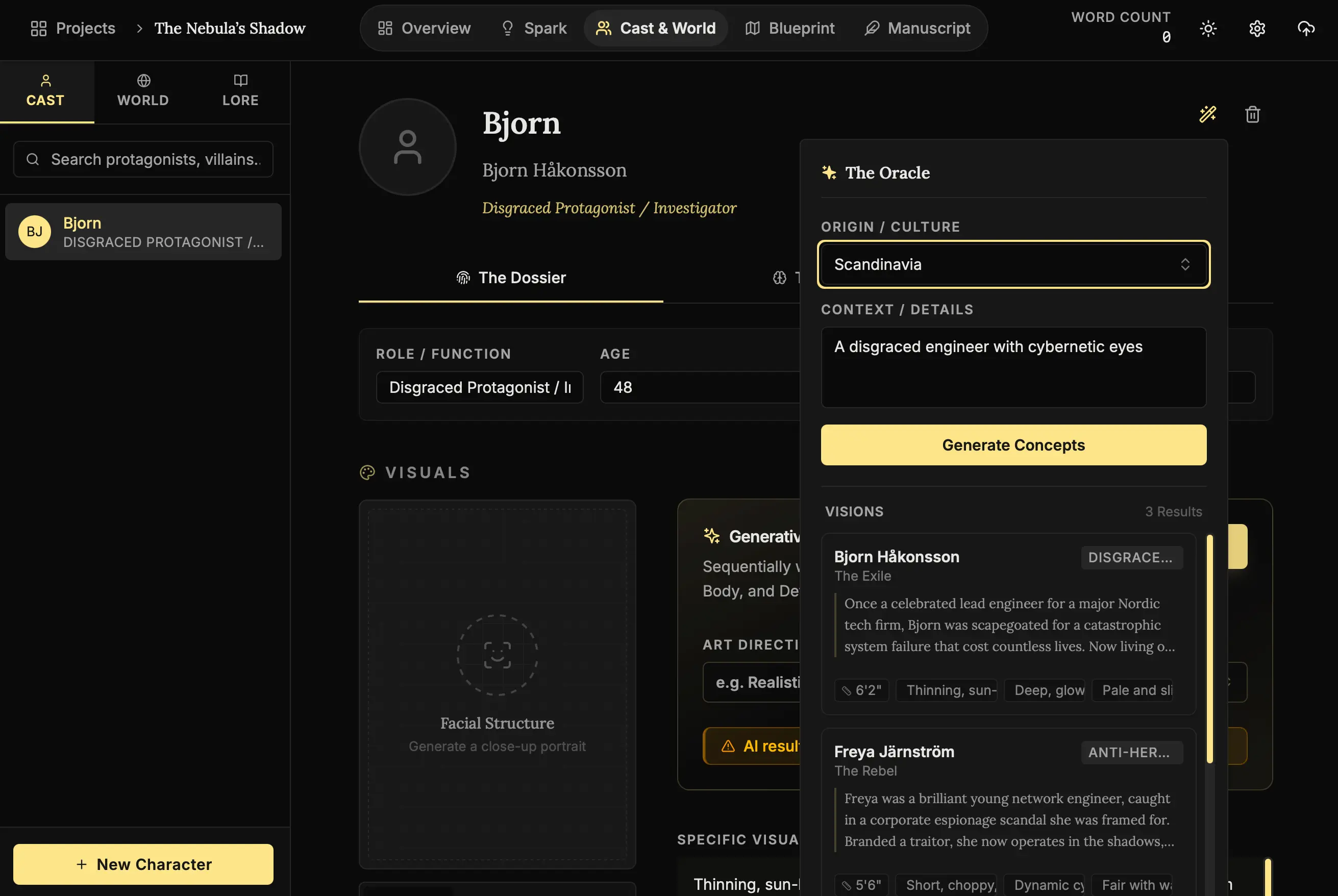
The Problem with Names:
Naming characters is hard. You want something that sounds cool but fits the culture.
Use the Magic Wand (🪄) here. You can tell the Muse: “A gritty detective from a neon-noir version of Tokyo.”
It will generate names, backgrounds, and roles that fit that specific vibe. It saves you hours of scrolling through baby name websites.
Step 2: The Soul (Psychology)
This is the most important tab in the entire application. Switch to “The Soul”.
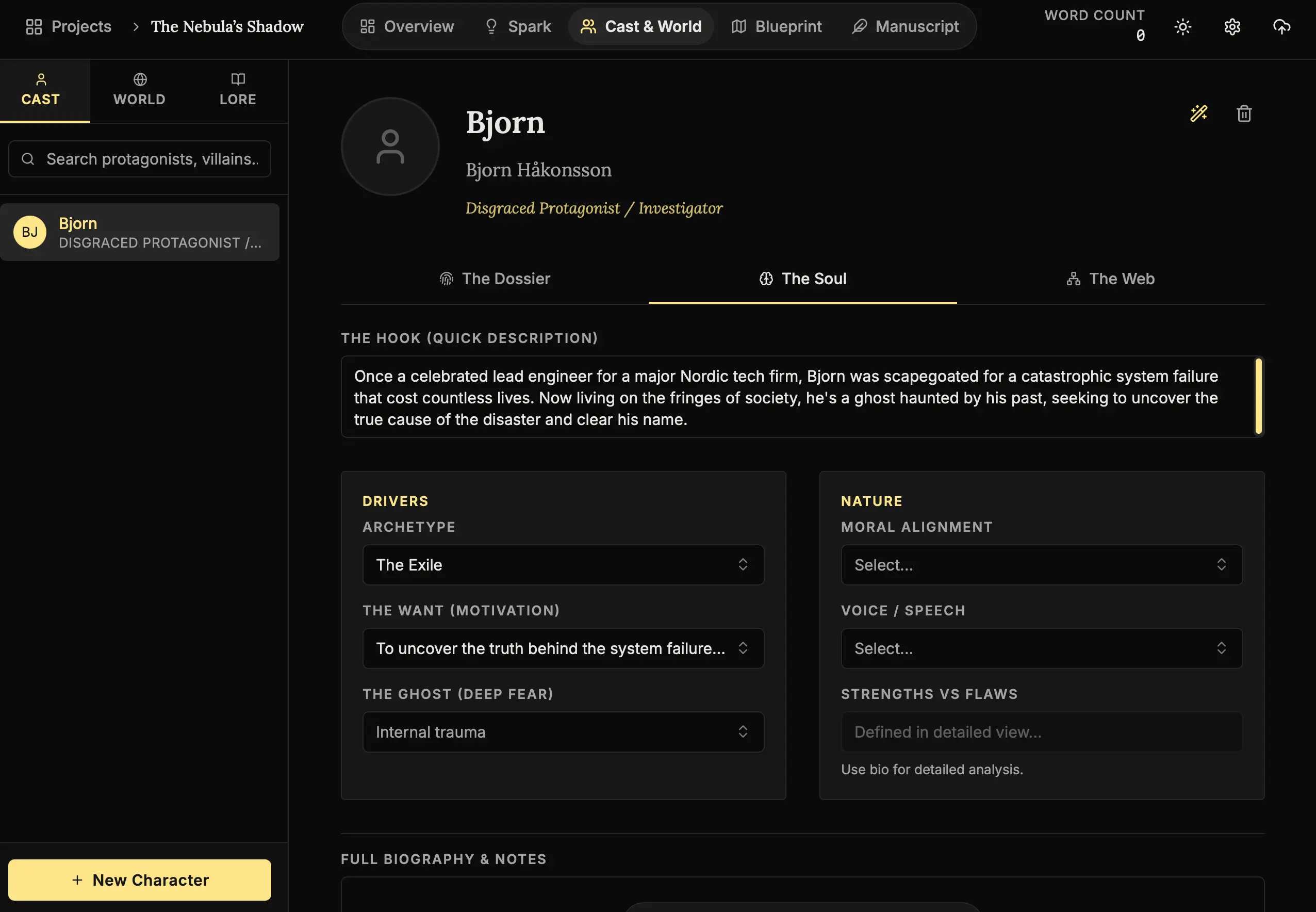
Why “The Ghost”?
In screenwriting theory, a character’s “Ghost” is the past trauma that haunts them. Their “Want” is what they think they need. The story happens when their Want hits up against their Ghost.
NovelOS forces you to define these up front.
- Archetype: The Exile.
- The Want: To return home.
- The Ghost: He was the one who destroyed it.
Suddenly, you don’t just have a character; you have a plot engine.
Step 3: The Mirror (Visuals)
“I know he has a scar… somewhere.”
As you write 300 pages, you will forget which eye the scar is on.
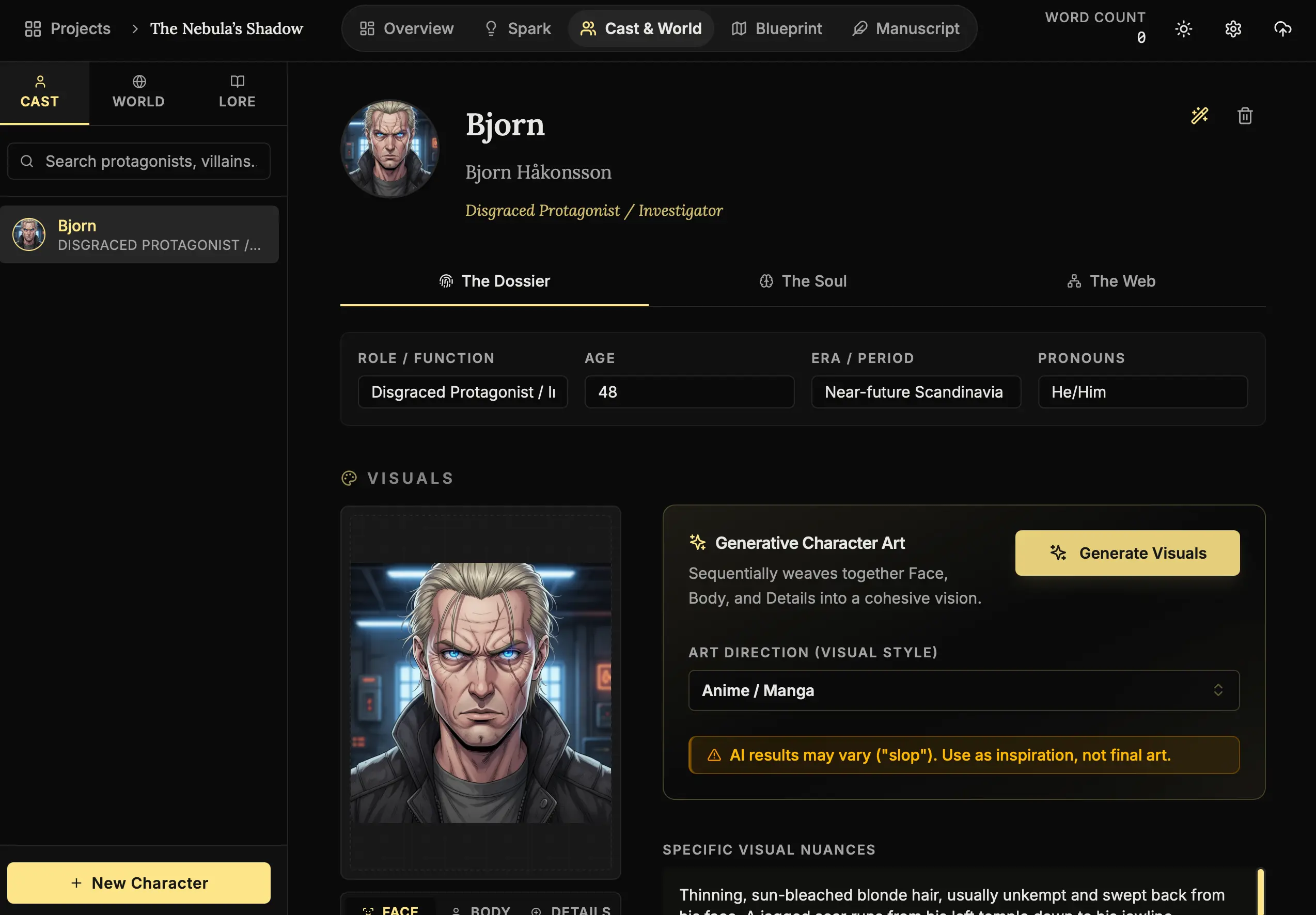
- Generate Visuals:
Click the “Generate Visuals” button. - Select a Style:
NovelOS isn’t one-size-fits-all. Choose the aesthetic that matches your genre:- Realistic 3D/Photo: Perfect for thrillers and modern dramas.
- Anime/Manga: Ideal for YA or stylized fantasy.
- Oil Painting: Great for historical fiction or high fantasy.
- Sketch/Noir: Perfect for mystery and crime.
- The Result:
Having a face to look at keeps your description consistent. Print it out (mentally) and stick it on your monitor.
Step 4: The Web (Genealogy)
Drama is relational. Luke Skywalker is boring without Darth Vader (Father). The Genealogy Editor helps you map these bloodlines and rivalries.
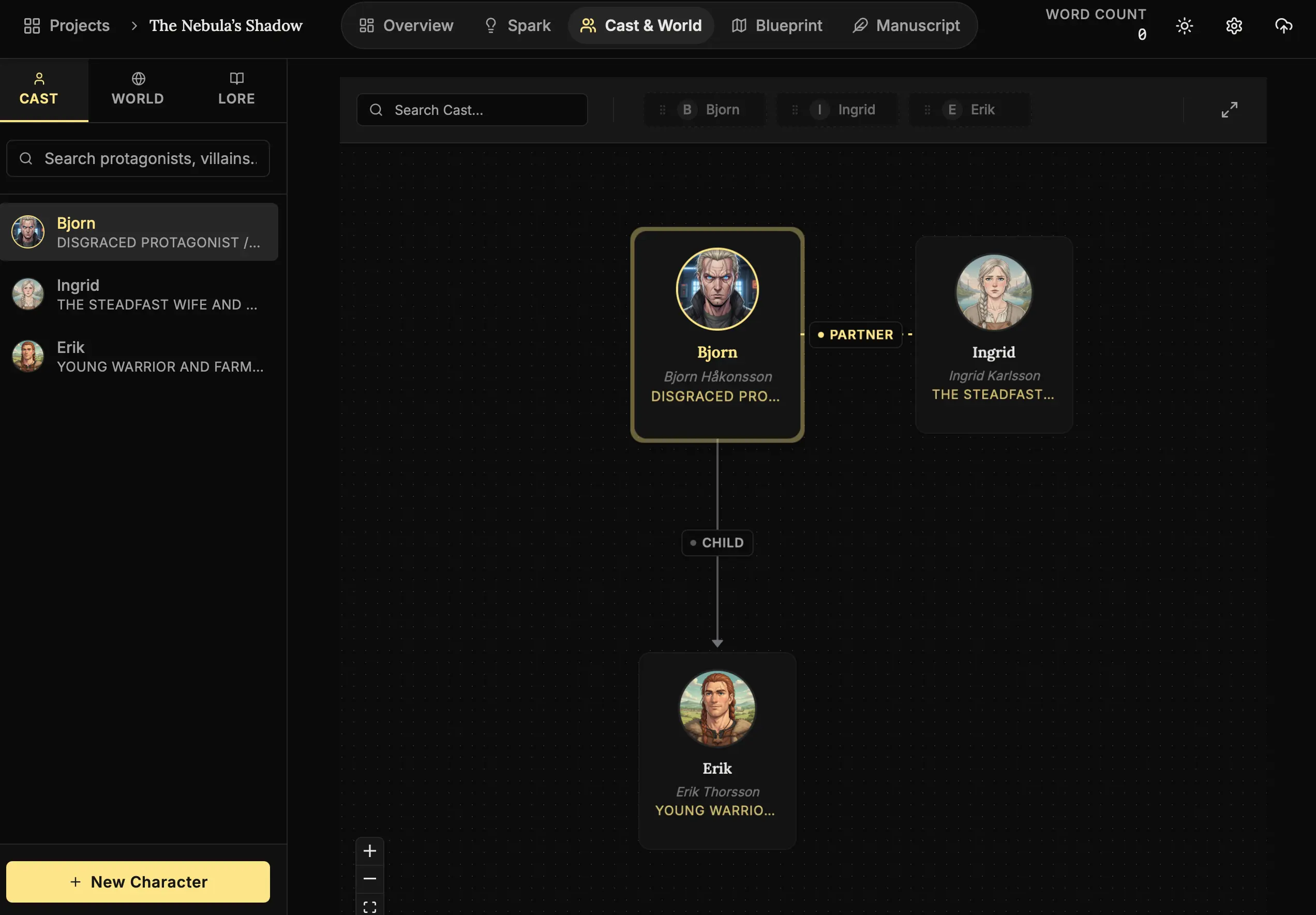
How to build your web:
- Navigate:
Click the “The Web” tab, then select the “Genealogy” sub-tab. - Focus:
Click the Fullscreen Icon (⛶). This is a complex task; give it room to breathe. - Initiate:
If the character is isolated, click “Start Family Tree”. - Connect:
Open the Cast Tray (Sidebar). simply Drag and Drop characters into the slots (Parent, Partner, Child) surrounding your active character.
Why map this?
When you see visually that Character A is cheating on Character B with Character B’s sister, you start to see scenes that need to happen. The diagram reveals the drama.
Step 5: The Stage (World & Context)
Finally, your cast needs a floor to stand on. Switch to the World category.
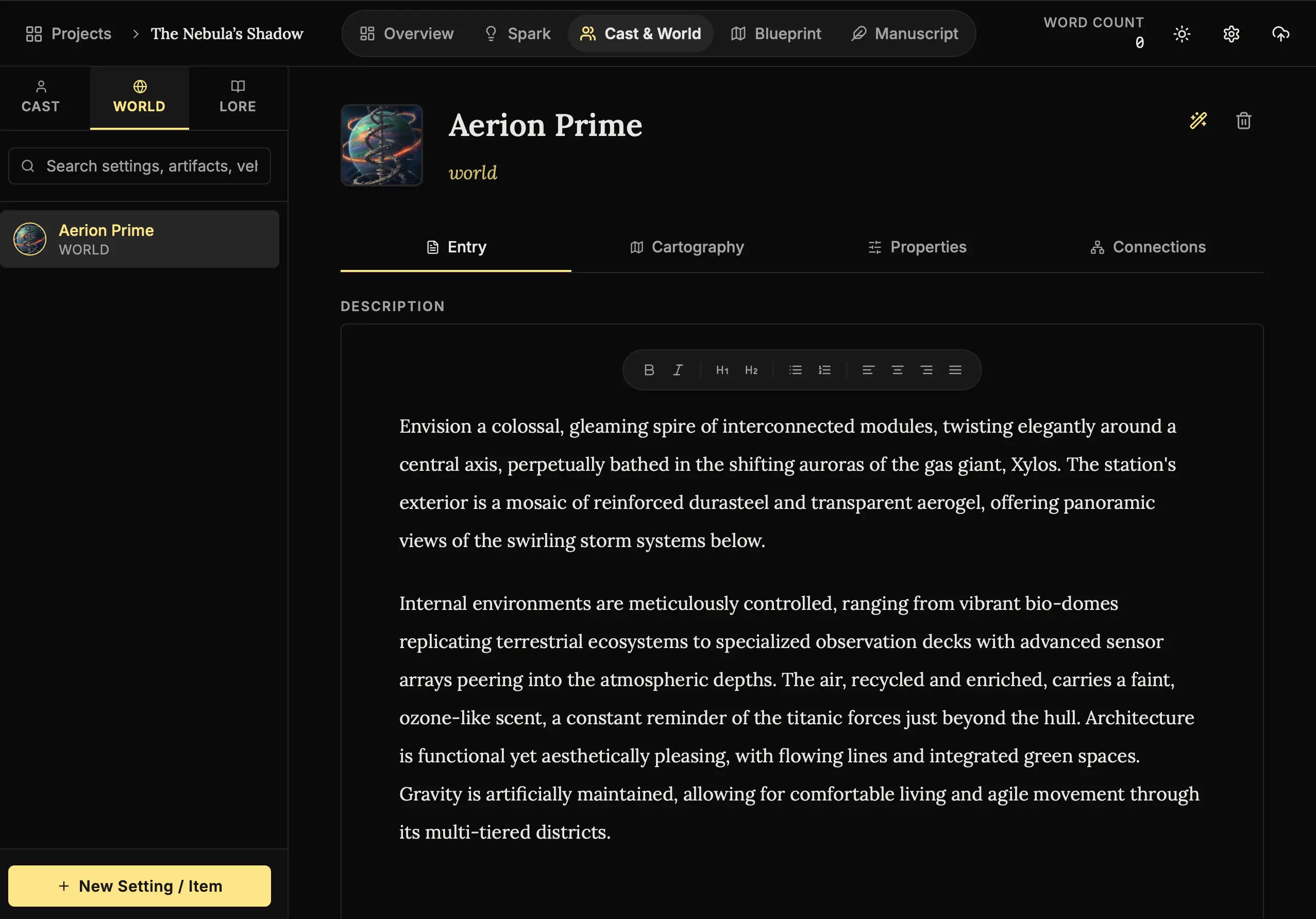
How to build your world:
- Switch Roles:
In the sidebar, click the “World” tab (next to Cast). - Create a New Setting:
Click “New Setting / Item”. - Consult the Architect:
Click the Wand (🪄).- Type: Choose Metropolis, Location, or Item.
- Prompt: “A cyberpunk noodle shop in the rain.”
- Apply:
The AI will fill the entry with sensory details, local currencies, and smells that make a place feel lived-in.
Step 6: Geography (Cartography)
Visualizing the layout of a space station or the terrain of a planet helps keep your descriptions consistent.
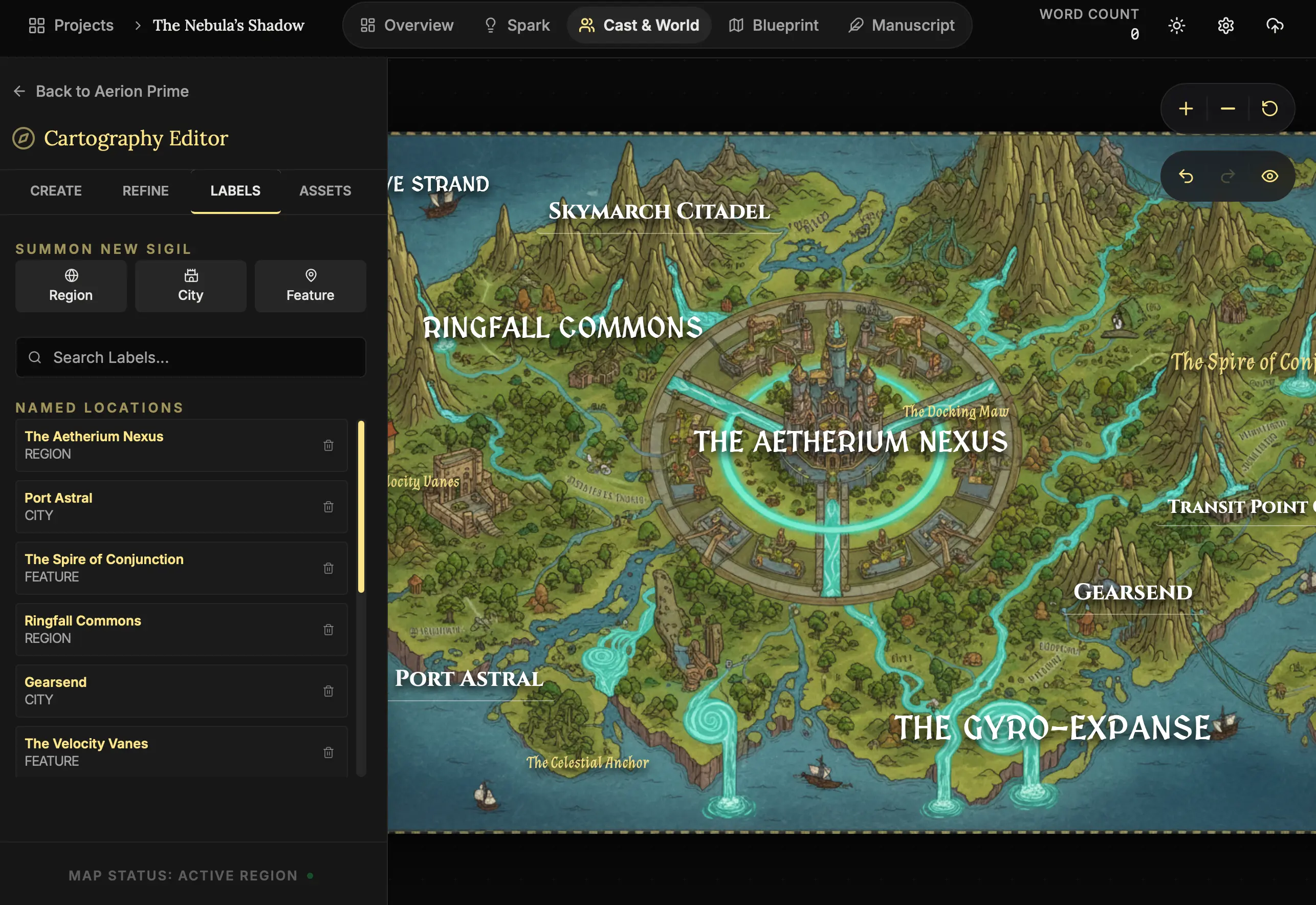
How to map the terrain:
- Cartography Tab:
Within a World Entry, click the “Cartography” tab. - Open Editor:
Click “Open Cartography Editor”. - Generate:
Set your scope (e.g., Local Region) and style (e.g., Topography). Input a vision and click “Generate Map”.
Next Steps
Now that we have the people and the place, we need to bind them together.
- Lesson 6: The Invisible Threads (Connections) - Linking it all together.
The actors are ready. The set is built. Places, everyone. 🎭🌍