Bring in an existing draft with Smart Import
Before you start: finish Revise: find, mentions, Read Aloud, Book Preview.
Say you wrote two chapters of A Jar of Trouble in Word on the train, before you had NovelOS. You don't retype them. Smart Import reads the file, splits it into chapters and shows you the split before anything changes.
Get the file ready
Any Word (.docx), EPUB, Markdown, plain text or PDF file works. For this tutorial, make a short Word document with two chapters:
The Fete Committee, with a paragraph or twoA Second Jar, with a paragraph or two
Give each chapter title Word's Heading 1 style. That's what Smart Import trusts most. Writing in Google Docs? Use File, Download, Microsoft Word (.docx) there first.
Import it
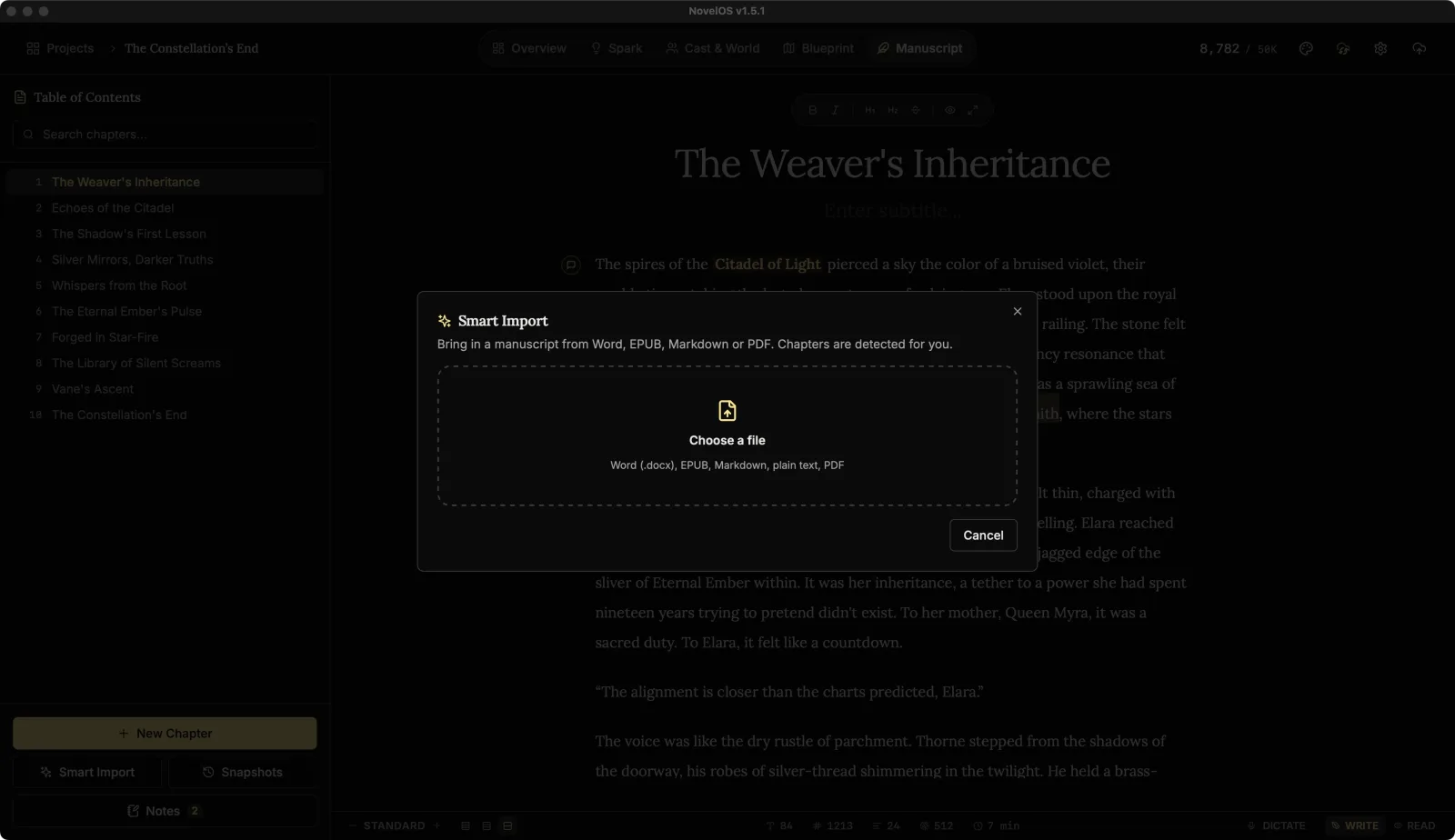
Open A Jar of Trouble in the Manuscript and click Smart Import at the bottom of the Table of Contents (or press ⇧ ⌘ I).
Click Choose a file and pick your document.
You should now see Chapters found, listing The Fete Committee and A Second Jar with their word counts, and a line saying the file was split on the heading styles in the document.
If anything before the first chapter is listed as Front matter (a title page, say), it starts unticked. Leave it that way; this book already has a title.
Under Where the chapters go, choose Add to A Jar of Trouble. The new chapters go after Judging Day.
Click Import (2).
You should now see the two chapters in the Table of Contents after Judging Day, with the first of them open, and a notice saying Imported 2 chapters with Undo import.
If the split is wrong
Click Undo import. It deletes exactly the chapters that import made and nothing else, so Judging Day is safe. If you've already edited an imported chapter, NovelOS asks first, because those edits would go too.
Then fix the file (usually by adding Heading 1 to the chapter titles) and import again. It's faster than splitting 40 chapters by hand.
If the notice has gone, Undo last import in the command palette (⌘ K) does the same.
Tidy up after
Imported chapters are ordinary chapters. Mention the characters in them with @ so the rename trick works there too, and give the imported scenes a chapter in Blueprint as you did for Judging Day.
The trial has a limit on chapters per book. If a file has more chapters than fit, NovelOS imports the ones that do and tells you. See Trial and licence.
Learn more
Next: Keep it safe: sync and backups
Checked against NovelOS Studio 1.5.1 · Updated · View as Markdown