Permissions and activity
Two tabs in Settings › MCP keep connected tools in line: Permissions says what they may touch, and Activity shows what they did.
Permissions
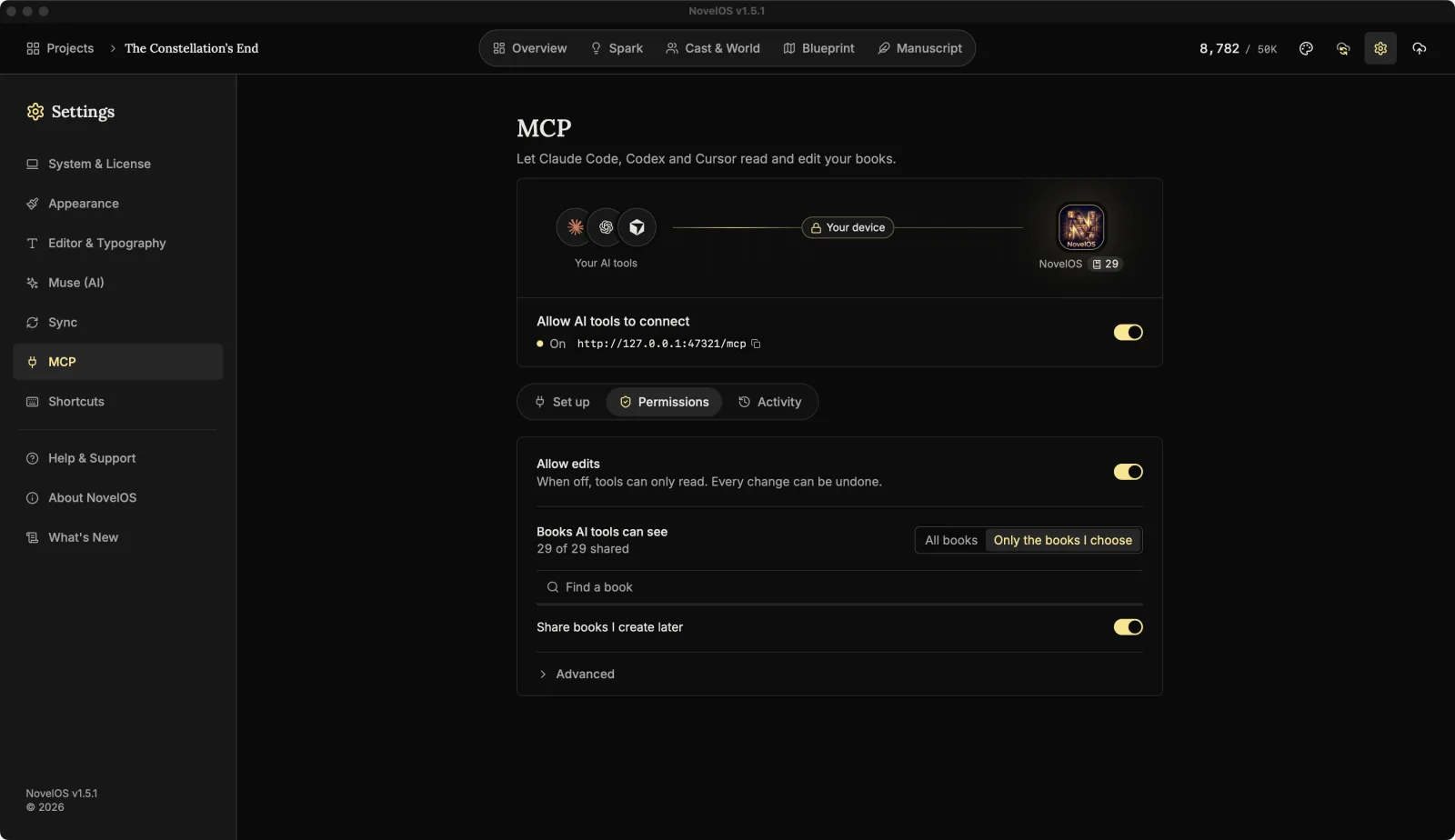
Allow edits
On by default. When off, tools can only read: the edit tools disappear from what NovelOS offers them, and a tool that tries anyway is told edits are turned off. Every change can be undone either way, so this is for when you want a tool to look and not touch.
Books AI tools can see
- All books (the default): every book in your library.
- Only the books I choose: a list of your books with their word counts. Tick the ones tools may see. Find a book searches the list.
The count reads, for example, "3 of 12 shared", and the picture at the top of the page shows the same number. A tool asking for a book you haven't shared gets nothing.
With Only the books I choose, Share books I create later decides what happens to new books. On, they're shared as soon as you make them. Off, they stay private until you tick them.
Advanced: Port
Open Advanced to change the Port the server listens on (it listens on 127.0.0.1 only). The default is 47321. Any number from 1024 to 65535 works; press Enter or click away to apply it, and the server restarts on the new port.
The port is part of your tool's setup, so copy the setup again from Set up and paste it into your tools after changing it. When the port is taken by another program, this section opens by itself and says so.
Activity
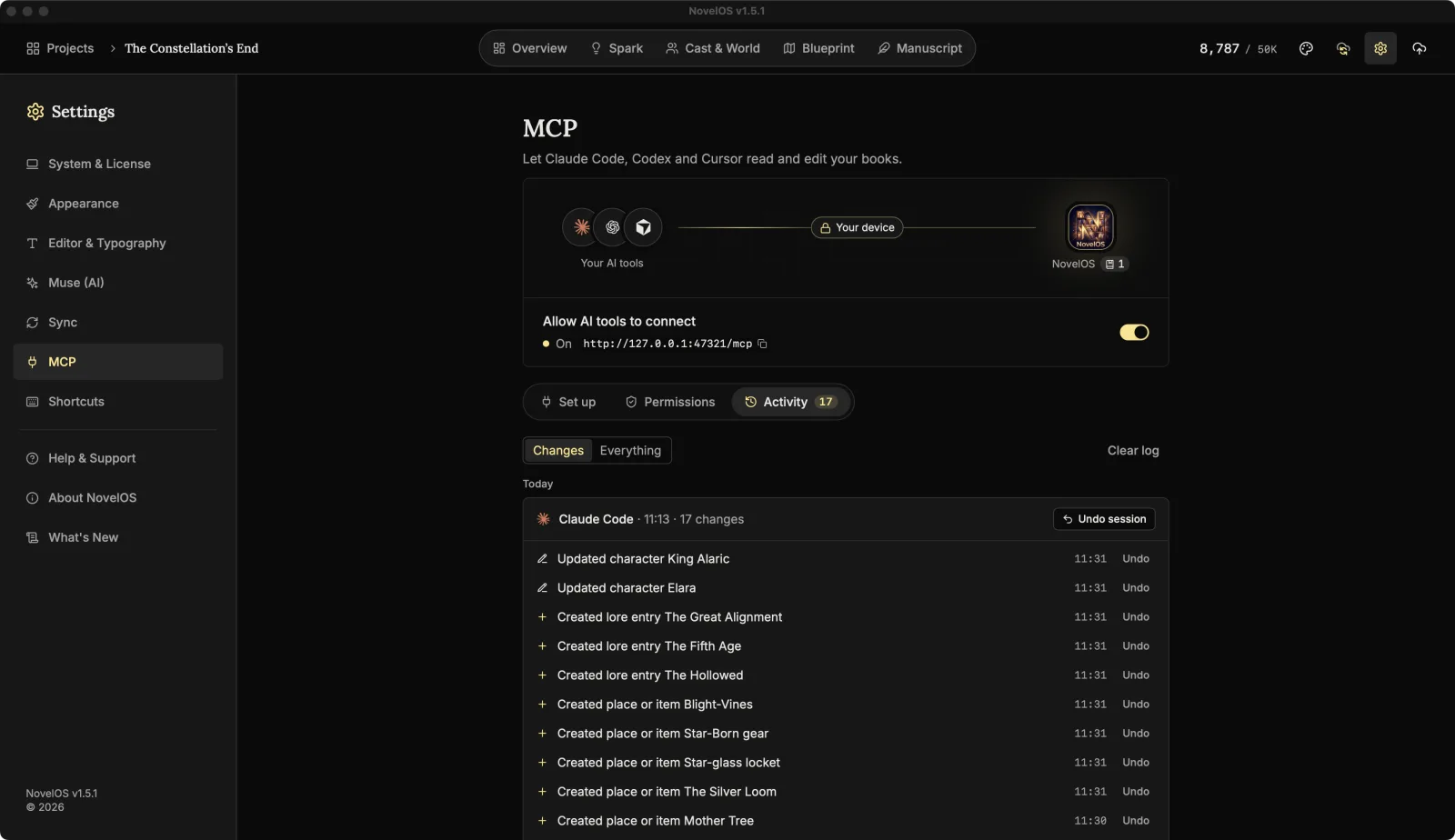
Every call a tool makes is logged here, newest first, grouped by day (Today, Yesterday, then the date) and then by session. A session is everything one tool did while NovelOS was open, headed by the tool's name, when it started and how many changes it made.
Each line says what happened in plain words, like "Updated character Seraphina" or "Edited Chapter 4 from paragraph 12", with the time.
- Changes shows only edits. Everything adds what tools read, too.
- Undo on a line puts that one change back. The line is crossed out and marked Undone.
- Undo session undoes every change in that session.
- Undo all changes appears when more than one session has changes to undo.
- Clear log empties the list. It doesn't undo anything.
- Show all lists everything when the list is long. Until then, about the 40 newest entries show, up to 10 per session.
The Activity tab shows a count of changes you haven't undone yet, so you can tell at a glance that a tool has been busy.
Before a tool first edits the text of a chapter in a session, NovelOS also takes a snapshot of it, named "Before AI edit" with the tool's name. That's a second way back, even after you've cleared the log. Renaming, moving or deleting a chapter doesn't take a snapshot, and neither does editing an empty one.
Undoing a text change restores the whole chapter as it was before that edit. Anything written in that chapter since, by the tool or by you, goes too. If you've kept writing, restore from the "Before AI edit" snapshot instead and compare first.
The log keeps the latest 500 entries. It's stored on this device only: it isn't synced and isn't in exported .novelos files.
When nothing has connected yet, the tab says No AI tool has connected yet. with a Set up a tool button that takes you to Set up.
Related
- Connect Claude Code, Codex, Cursor or Claude Desktop
- Skills for AI tools
- Chapters, parts and the Manuscript
Checked against NovelOS Studio 1.5.1 · Updated · View as Markdown