World and lore
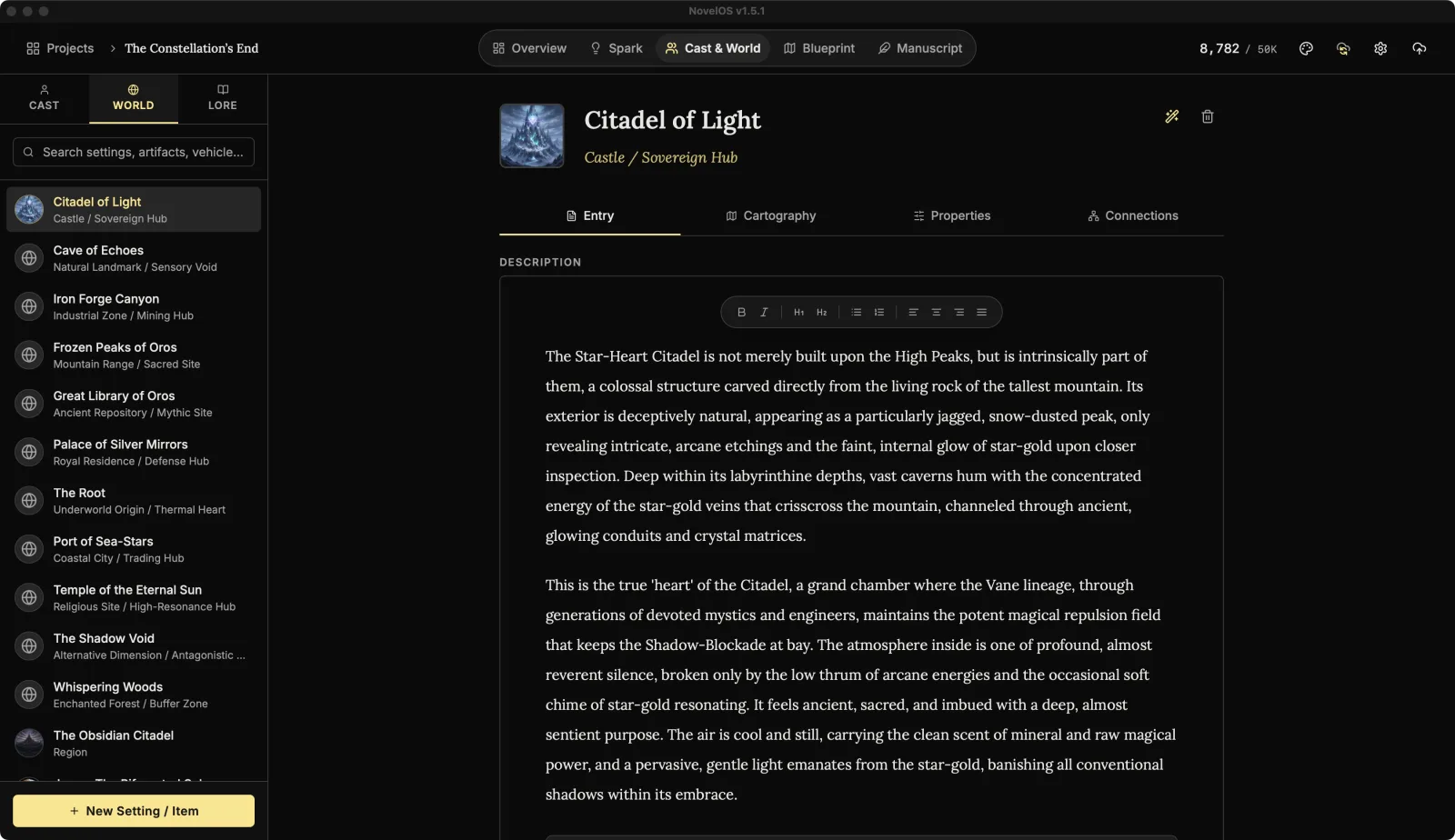
In Cast & World, the WORLD tab holds places and things: cities, taverns, planets, swords, spaceships. The LORE tab holds the ideas: history, myths, religions, magic systems, laws. Both work the same way, with a few tabs of their own.
Add an entry
- New Setting / Item at the bottom of the WORLD list, or New Lore / Concept under LORE. Both are in the command palette too.
- Search settings, artifacts, vehicles... and Search myths, politics, magic systems... filter the lists.
Each entry in the list shows its type underneath, or "Unclassified".
The header
- The picture. Hover it for Upload Image. Once there's a picture, hover also shows Zoom View (full size, with a download button) and Remove image.
- Name.
- The type: Classification (e.g. Metropolis, Relic) for a world entry, Category (e.g. Hard Magic, Religion) for lore.
- Delete, the bin on the right, asks once more with a tick.
The tabs
| Tab | World entry | Lore entry |
|---|---|---|
| Entry | Yes | Yes |
| Cartography | Yes | |
| Properties | Yes | |
| Mechanics | Yes | |
| Chronicle | Yes | |
| Connections | Yes | Yes |
Entry
The Description, in the full editor: sensory details, geography and atmosphere for a place; history, rules and cultural weight for lore. Type / in it for headings, lists, images and Spark boards.
Properties and Mechanics
A place gets ATTRIBUTES & STATS; lore gets RULES & MECHANICS. They're the same thing: a list of name and value pairs, like "Population: 40,000" or "Cost of casting: one memory".
Click Add Property, then fill in the Attribute and its Value. The × on a row deletes it.
Chronicle
Lore only. CHRONICLE & TIMELINE is a list of dated events for this piece of lore: when the war started, when the prophecy was made, when everyone stopped believing it.
Click Add Event, fill in the Date / Era (e.g. 1920 or 'The First Age'), and describe what happened. Remove event (the × on its row) takes one out.
Cartography
World only. This is where a place gets a map. Maps covers it.
Connections
The same three lists as a character's Connections:
- Linked Scenes: scenes in Blueprint tagged with this entry. Click one to open it.
- Key Figures & Lore (on a world entry) or Key Figures, Locations & Items (on lore): the characters, places and lore it's linked to. Add Link opens Select to Link; hover a link you made here and click Unlink to remove it. Click a card to jump to it.
- Appearances in Manuscript: chapters that mention this entry, with their word counts. Click one to open it.
Let The Architect draft an entry
The Architect (AI Generator) is the sparkle button at the top right of a world or lore entry. It appears once you've added a Muse key.
- Under TYPE OF LOCATION / ITEM (or TYPE OF LORE / SYSTEM), open Select type... and pick one.
- Describe the idea under CONTEXT / VIBE: "a floating steampunk city", "a hard magic system based on blood".
- Click Fabricate Concepts.
| For | Types |
|---|---|
| World | Location, Metropolis, Village, Ruin, Tavern, Dungeon, Landmark, Region, Planet, Hideout, Shop, School, Artifact, Weapon, Tool, Vehicle, Relic, Consumable, Flora, Fauna, Resource, Technology |
| Lore | History, Myth, Religion, Magic System, Political Faction, Organization, Prophecy, Ritual, Law, Philosophy, Disease, Holiday, Language, Scientific Theory |
A window of results opens. Pick one and click Use This Entry, or Regenerate for more. Using one fills in the name, type, description and properties, links any of your characters it involves, and for lore, the chronicle too. Then it draws a picture for the entry, which takes a moment ("Materializing Visuals..."). Everything stays editable.
It writes over what's in the entry, so use it on a new one or one you're ready to redo.
Related
Checked against NovelOS Studio 1.5.1 · Updated · View as Markdown