Overview, goals and book layout
Overview is the book's front desk: what it's called, what it's about, how far along it is and how it will look in print. Open it from the top bar or press ⌘ 1.
It has three tabs: Details, Progress & Goals and Book Layout.
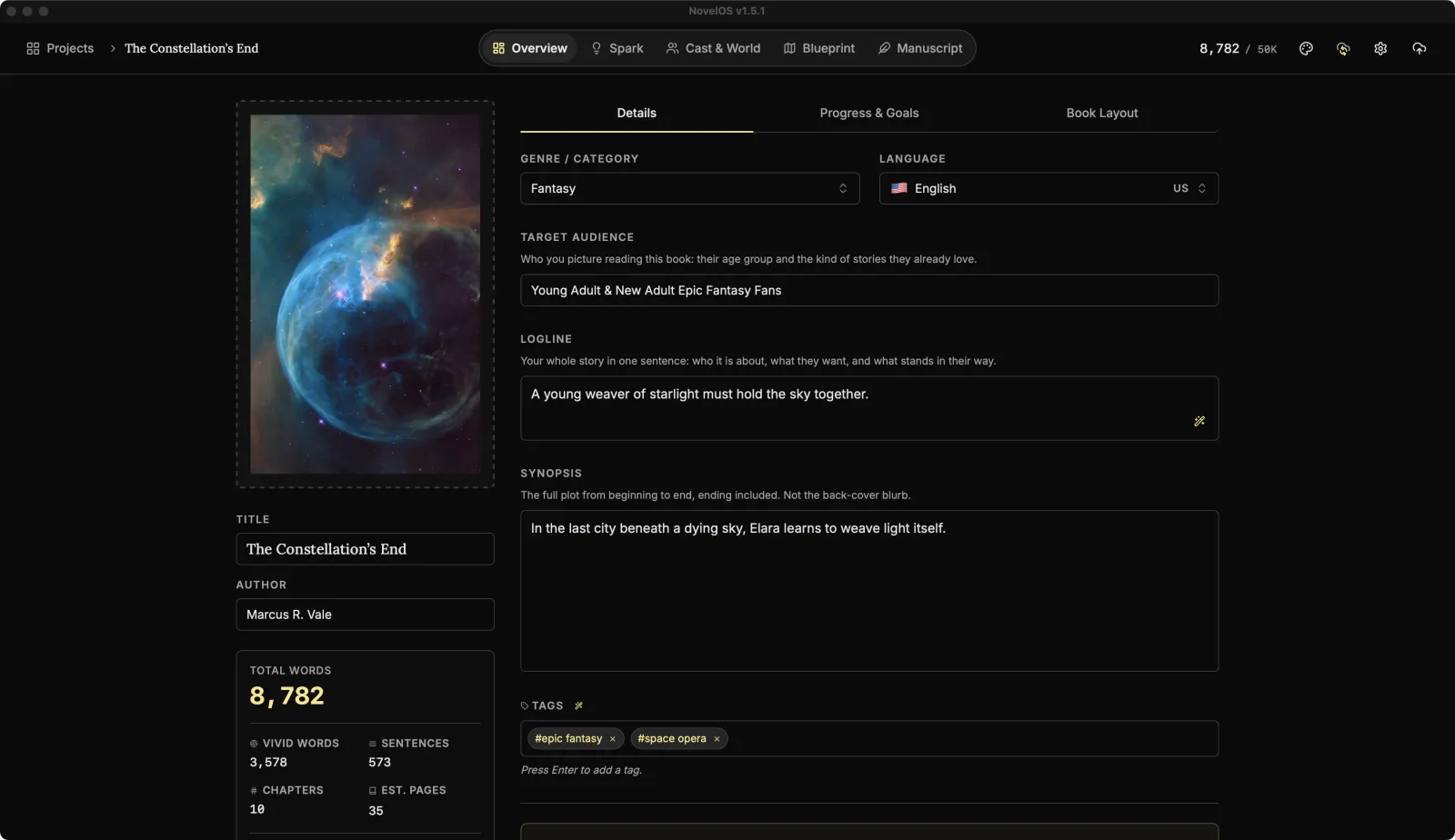
The header
Across the top:
- The cover. Click it (Click to upload book cover) or Upload Cover to choose a picture. Generate Cover makes one with AI. It needs a Muse key, a genre and a logline of at least 10 words, so it has something to go on. Hover a cover for Regenerate with AI and Remove Cover.
- Title and Author. This is also how you rename a book.
- The numbers: Total Words, Vivid Words (how many different words the book uses), Sentences, Chapters, Est. Pages (at 250 words a page) and Goal Progress.
Details
Logline, synopsis and the rest
- Genre / Category: pick one of 31 or type your own: Action, Adventure, Anthology, Biography, Classic, Contemporary, Crime, Cyberpunk, Drama, Dystopian, Fantasy, Graphic Novel, Historical Fiction, Horror, Literary Fiction, Magical Realism, Memoir, Mystery, Non-Fiction, Paranormal, Poetry, Romance, Satire, Sci-Fi, Self-Help, Short Story, Steampunk, Thriller, Urban Fantasy, Western and Young Adult.
- Language: the language the book is written in, from 23. Dictation and the on-device Read Aloud voices only work when this is English. ElevenLabs voices read other languages too.
- Target Audience: who you picture reading it, for example "Young Adult, Sci-Fi Fans".
- Logline: the whole story in one sentence. Who it's about, what they want, what's in the way.
- Synopsis: the full plot, ending included. Not the back-cover blurb; this one is allowed to spoil things.
- Tags: type a tag and press Enter. Click the × on a tag (Remove tag) to remove it.
Let The Oracle help
Stuck on the logline? Click The Oracle: Generate Logline. The Logline Architect asks for Your Thoughts (the conflict, the hero, the stakes, in any order and any mess), then Draft Logline writes one you can keep or rewrite.
Auto-generate tags based on logline suggests tags from the logline and genre.
Both need a Muse key.
Export Project
Under Create Project Backup, Export Project downloads a complete backup of the book as a .novelos file. Use it before big changes, or to move a book to another computer. Import Project brings it back.
Danger Zone
Delete this Project: Delete Project removes the book and everything in it, for good. NovelOS asks you to type delete and click Confirm Delete, so it can't happen by accident. If you might ever want it back, export it first.
Progress & Goals
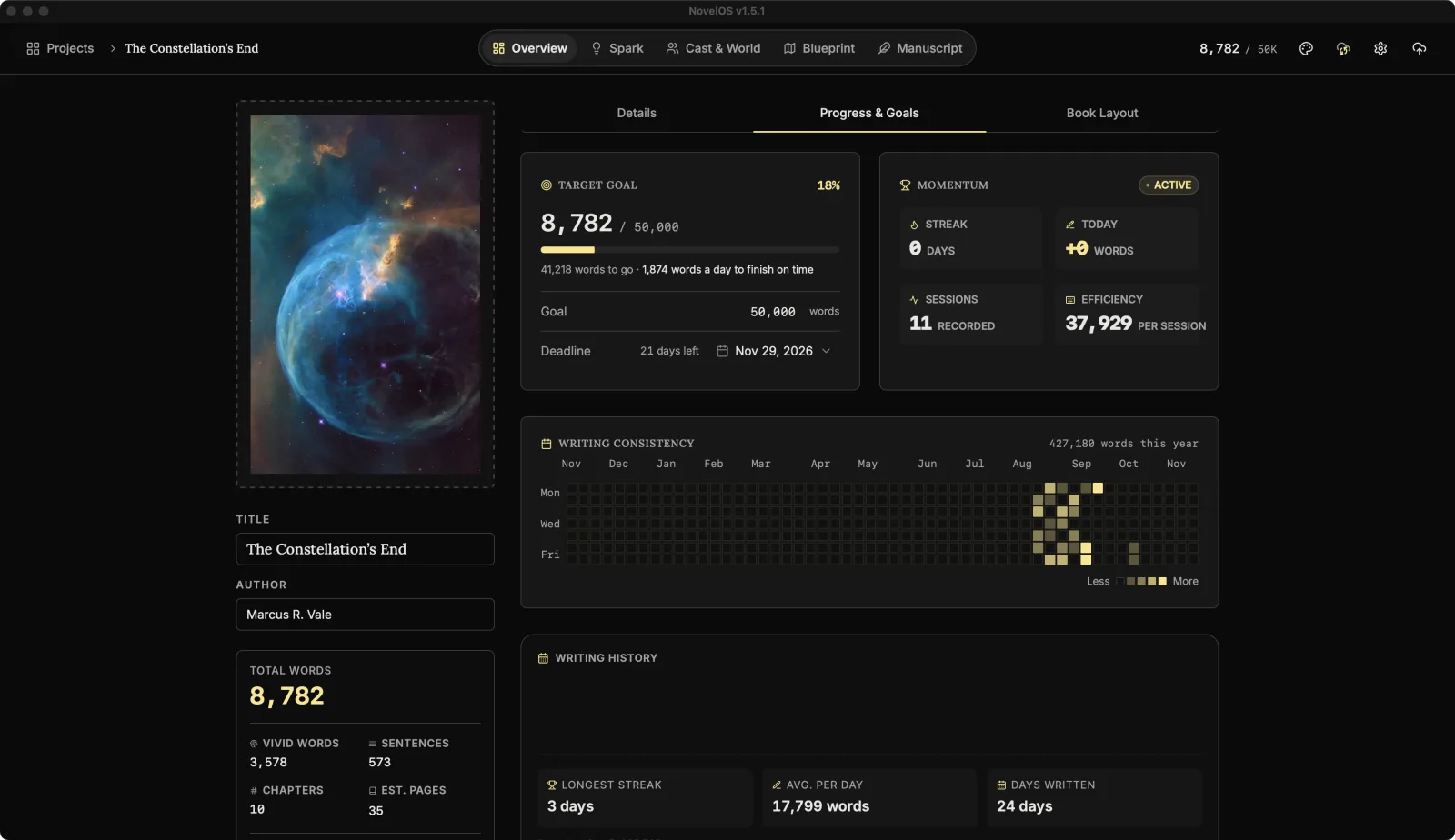
Target goal and deadline
Set Target Goal to the length you're aiming for, or pick one from Writing Presets:
| Preset | Words |
|---|---|
| Short Story | 5,000 |
| Novelette | 12,000 |
| Novella | 30,000 |
| Light Novel | 45,000 |
| NaNoWriMo | 50,000 |
| Standard Novel | 85,000 |
| Epic / Bestseller | 120,000 |
Then Set a deadline. NovelOS works out how many words a day you need to finish on time, and the deadline shows on the book's card in Projects.
Momentum
- Streak: days in a row you've written.
- Today: words written today.
- Sessions: writing sessions recorded.
- Efficiency: average words per session.
Only typing counts. A big jump in words at once (an import, a snapshot restore, a large paste) isn't credited as a day's work, so your streak stays honest.
Writing Consistency and history
Writing Consistency is a calendar of the year with each day shaded by how much you wrote, from Less to More.
Writing history shows your Longest streak, Avg. per day, Days written, your best day, and Recent sessions with how many words each one took.
Book Layout
Print Layout Settings decide how the book looks as a PDF:
- Trim Size: 5" x 8", 5.25" x 8", 5.5" x 8.5", 6" x 9", A5 or A4.
- Font Preference (Export): Serif (Garamond, etc.), Sans-Serif or Monospace.
- Margins: Standard (1 inch), Narrow (half an inch), Wide (1.25 inches) or Mirrored. Mirrored currently prints the same one-inch margins as Standard.
Open Book Preview shows the pages at that size, and keeps up as you change settings or write. Book Preview covers its controls.
Related
Checked against NovelOS Studio 1.5.1 · Updated · View as Markdown