Mentions of characters, places and lore
A mention is a name in your chapter that knows who it is. Type @ and NovelOS links the name to its entry in Cast & World, so you can check a character's eye colour without leaving the page.
Add a mention
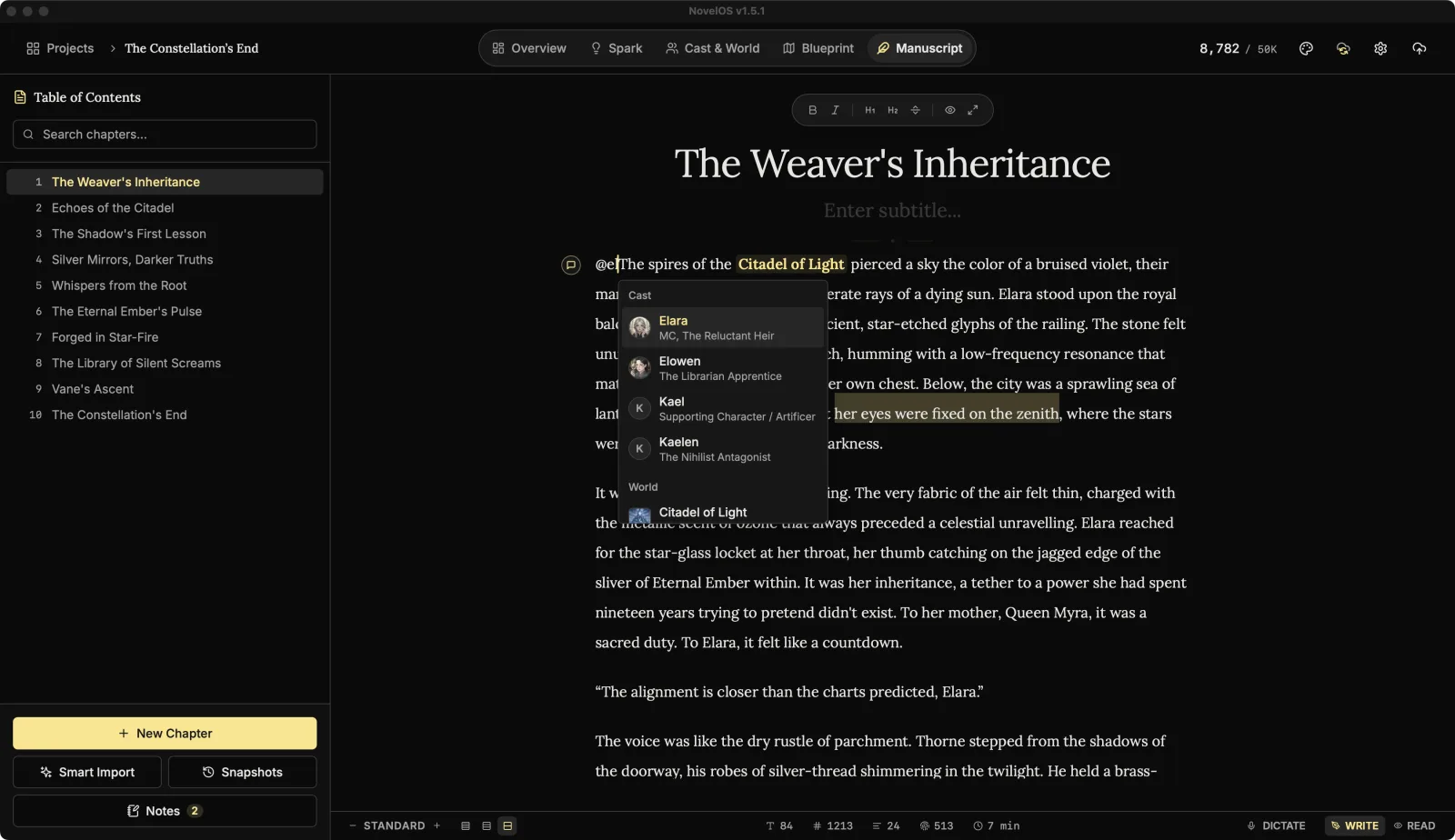
- In a chapter, type
@followed by part of a name. - A list of @mentions appears, grouped into Cast, World and Lore, each with its picture. It searches as you type and matches any part of a name, so
@ellfinds Eleanor and Ellis. - Pick one with the arrow keys and Enter, or click it.
If nothing matches, the list says No results found. Create the entry in Cast & World first (⌥ ⌘ C makes a New Character from anywhere) and come back.
Use a mention
- Hover a mention to see its card: picture, name and what kind of entry it is, with Click to view details.
- Click it to open the entry in Cast & World.
Mentions stay up to date
- Rename a character and their mentions change to the new name. Each chapter catches up the next time you open it.
- Delete a character and their mentions turn back into plain text, also as each chapter is opened. The words stay; only the link goes.
Related
- Characters
- The editor
- Command palette, which also searches characters, places and lore
Checked against NovelOS Studio 1.5.1 · Updated · View as Markdown