Snapshots of a chapter
A snapshot is an old copy of one chapter. NovelOS takes them for you while you write, and you can take your own before you try something drastic. If the rewrite doesn't work out, you go back.
Open them with Snapshots at the bottom of the Table of Contents, or press ⇧ ⌘ S. Take snapshot of this chapter in the command palette takes one straight away and opens the list. The window is titled Snapshots of and the chapter's name.
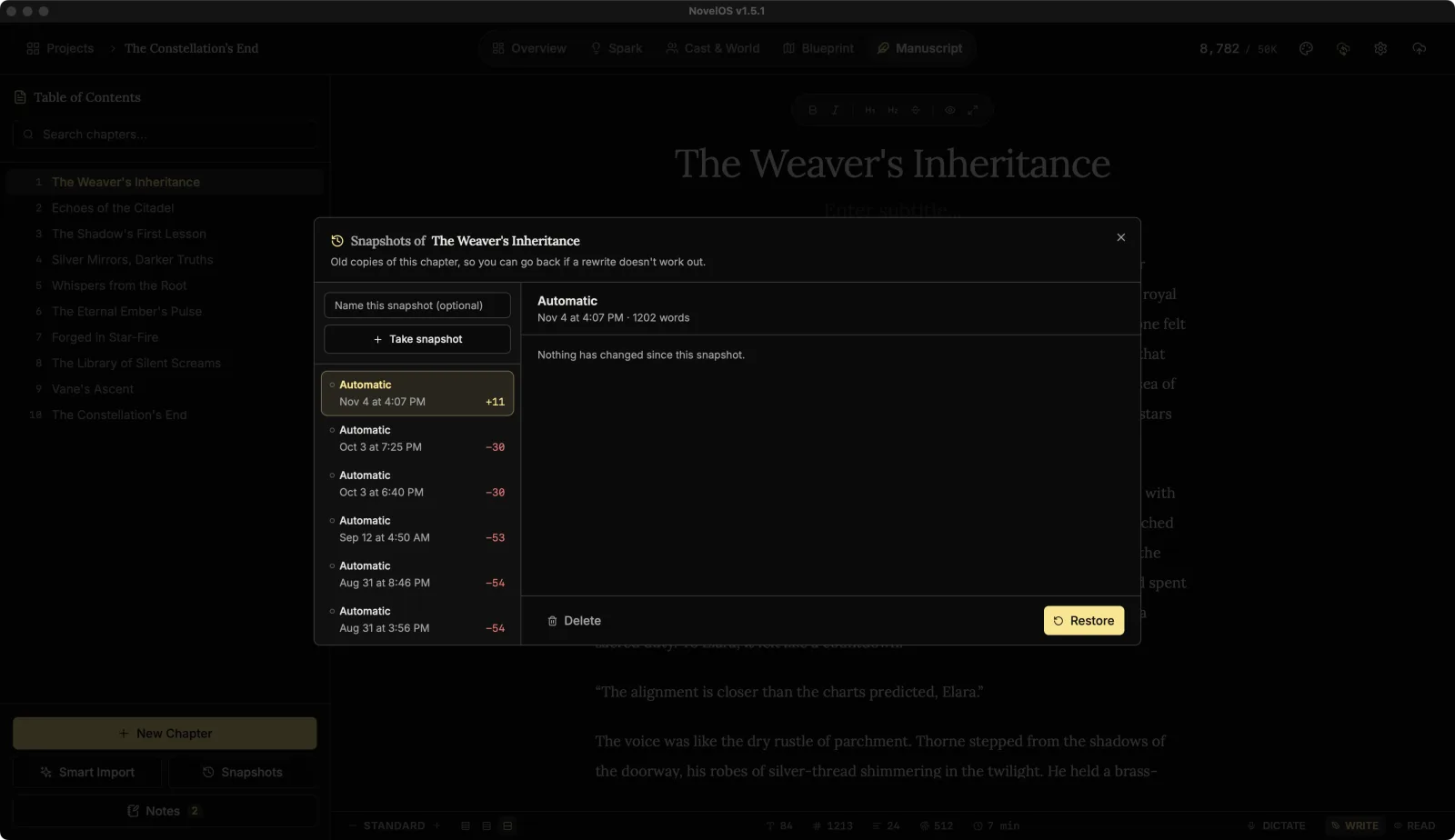
Automatic snapshots
When you start typing in a chapter, NovelOS saves a copy of how it read just before your first keystroke. After that it waits at least 30 minutes before taking the next one, so a long session leaves a trail of copies rather than thousands of them.
These show as Automatic in the list. NovelOS skips a copy when nothing has changed since the last one, and never saves an empty chapter.
Take one yourself
- Type a name in Name this snapshot (optional), for example "Before I killed the uncle".
- Click Take snapshot.
Named snapshots get a filled dot in the list, so they're easy to spot among the automatic ones.
Compare and restore
Click a snapshot in the list to see what has changed since. Added words are marked with + and removed words with −, with the unchanged text around them for context. If nothing is different, it says Nothing has changed since this snapshot.
To go back to it, click Restore, then Restore again at Replace the chapter with this snapshot? The title and subtitle come back too; if the snapshot had a different title, NovelOS says so first (Also restores the title).
Restoring never loses today's text. If the chapter as it stands isn't already saved as a snapshot, NovelOS saves it before replacing it, so you can restore your way back.
Delete removes a snapshot after Delete this snapshot?
How many are kept
For each chapter NovelOS keeps the 15 newest automatic snapshots and the 50 newest named ones. The two are counted separately, so a busy week of automatic copies can't push out a version you named.
Snapshots travel with the book: they're inside .novelos backups and they sync with it. Deleting a chapter deletes its snapshots.
Related
Checked against NovelOS Studio 1.5.1 · Updated · View as Markdown