Projects, your library of books
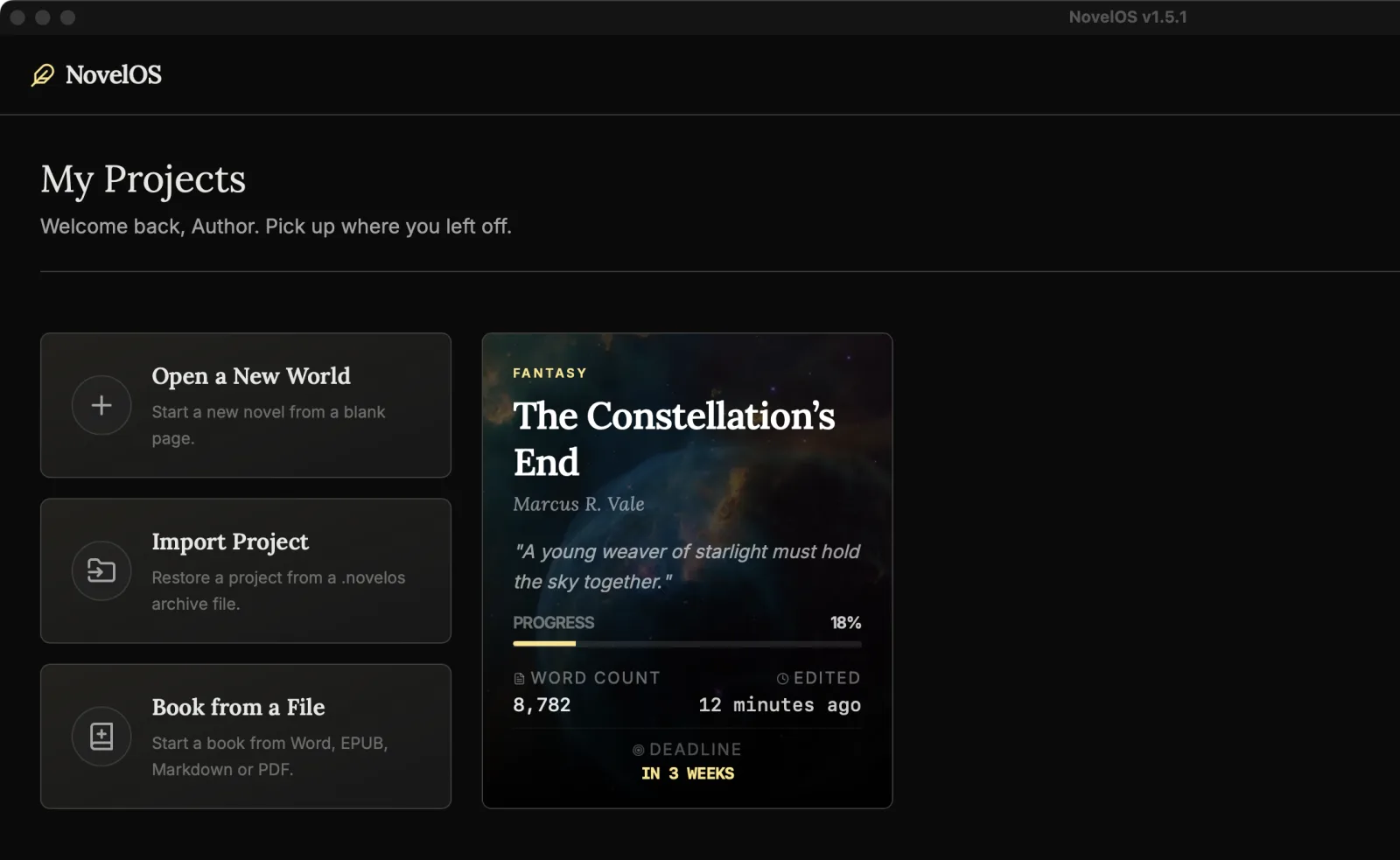
My Projects is the first screen you see: every book you're working on, most recently edited first. Each book is a project with its own chapters, cast, plot and settings, so nothing leaks from one book into the next.
To come back here from inside a book, click Back to Projects at the left of the top bar, or press ⇧ ⌘ L.
Start a book
There are three ways in, at the top of the library:
| Card | What happens |
|---|---|
| Open a New World | Starts a blank book called Untitled Novel and opens its Overview, where you give it a title, an author and a logline. The New Novel button does the same. |
| Book from a File | Starts a book from Word, EPUB, Markdown or PDF. Smart Import splits the file into chapters for you to check. |
| Import Project | Restores a book from a .novelos file, the backup NovelOS makes with Export Project. |
The book cards
Each book has a card with its cover, genre, title, author and logline, plus:
- Progress toward your word goal.
- Word Count for the whole book.
- Edited, when you last changed it.
- Deadline, if you set one. It changes colour when it's less than 30 days away, and turns red inside a week or once it's passed. No Deadline Set means just that.
Hover a card to see Resume Writing, then click anywhere on the card. The book opens in the Manuscript. You can also tab to a card and press Enter or Space.
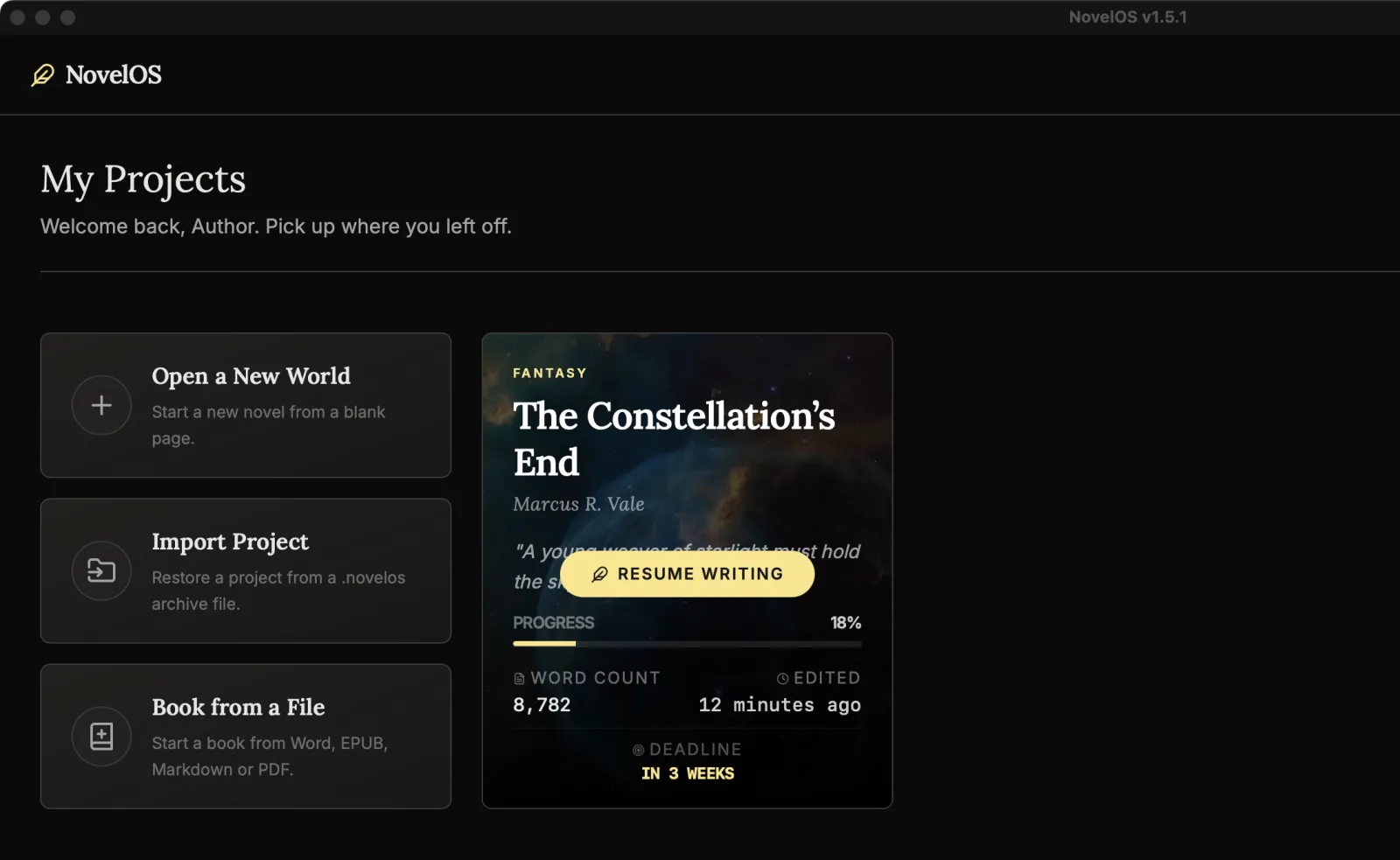
Cards have no right-click menu. To rename a book, change its title in Overview. To delete one, use Delete Project in Overview's Danger Zone.
Find a book
Type in Search novels... It matches a book's title, author, genre, tags, logline and synopsis, so "lighthouse" finds your book about a lighthouse keeper's daughter even when the title is Salt and Signal.
Restore or move a book with a .novelos file
A .novelos file holds a whole book: chapters, notes, cast, world, family tree, plot, timeline, Spark boards, pictures, snapshots and export presets. You make one with Export Project in Overview, and it's how you move a book to another computer without sync.
To bring it back, click Import Project and choose the file.
- If the book is already in your library, NovelOS asks Replace the project already in your library? Replace swaps its chapters, cast, world and snapshots for the ones in the file. Make an export of the current version first if you might want it back.
- If a picture or media file inside the archive is damaged, the book still imports, and NovelOS tells you how many files were left out.
- If the file isn't a NovelOS project (a plain zip, or a file that was cut short while copying), NovelOS says so and leaves your library alone.
In the trial
The trial has a limit on how many projects you can create. When you reach it, NovelOS says so, and buying a licence lifts it. Trial and licence has the details.
On your phone
The phone app has the same library. When you import a book that's already there, it asks whether to Replace it or Keep both.
Related
- Overview: title, cover, logline, goals and the Danger Zone
- Smart Import
- Sync, to keep the same library on your computer and phone
Checked against NovelOS Studio 1.5.1 · Updated · View as Markdown